

Accordion Toggle
By WPDeveloper
Display Your FAQs & Improve User Experience with Accordion/Toggle block.
★ 4.5/5 (8)2,000+ active installations
- Version
- 1.3.3
- WordPress
- 5.6+
- PHP
- 7.2+
- Updated
- 15 Nov 2026
WORDPRESS RESOURCES
Explore public plugin information from the official WordPress.org directory. Compare what a plugin does, its requirements and update history before adding it to your website.
Explore WordPress hosting →6,942 matching plugins reported by WordPress.org · Page 1 of 50
Source: WordPress.org
Data refreshed 18 Nov 2026 02:12 UTC
By WPDeveloper
Display Your FAQs & Improve User Experience with Accordion/Toggle block.

By ScriptsTown
Bring dark mode toggle switch to your WordPress website. A simple switch to turn on and off the dark mode. Fast and easy to use.

By WPDeveloper
Toggle Content block for Gutenberg to switch content or blocks with a beautiful switcher.
This plugin allows you to easily open and close your website and display a custom message or HTML page when closed.

By Tim W
Translate WordPress plugins and themes directly in your browser. Versatile PO file editor with integrated AI translation providers.
Elementor templates, Header footer builder, Elementor Post Grid, Woocommerce Grid builder, Slider, Forms, Gallery, Nav menu addons, Elementor widgets.

By megamenu
An easy to use mega menu plugin. Written the WordPress way.
Real-time SEO guidance, schema, and AI built in. Help search engines and AI systems understand your content. All AI tools included, no hidden fees.
By Saidul Islam Bokul
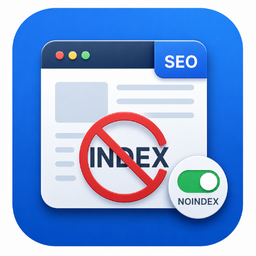
Exclude any post, page, or archive from search engines with one toggle — plus a built-in verifier that proves the tag is really live.
Free WooCommerce dashboard & sales report: recover abandoned carts, order export, Google Sheets sync, ROAS, bulk edit & inventory management
Elementor addon: 120+ widgets & templates — Elementor Gallery, Mega Menu, Slider, Form, Post Grid, Accordion, Header Footer Builder & WooCommerce.

By Lester Chan
Allows you to embed content within your blog post via WordPress ShortCode API and toggling the visibility of the content via a button.
CHOOSE WHAT YOUR WEBSITE NEEDS
Start with the task you need to solve. Compare features, WordPress and PHP requirements, update history and the author’s documentation. Test changes on a private copy and avoid adding several plugins for the same job.
This independent directory displays plugin information on WebFulHost and links to the official source. Packages are not mirrored or installed here. A plugin can include paid extensions or services with separate terms from its author.




