

Code Block Pro – Beautiful Syntax Highlighting
By Kevin Batdorf
Code highlighting powered by the VS Code engine. Performance focused. No bloat.
★ 4.8/5 (50)10,000+ active installations
- Version
- 1.28.0
- WordPress
- 6.0+
- PHP
- 7.0+
- Updated
- 15 Aug 2026
WORDPRESS RESOURCES
Explore public plugin information from the official WordPress.org directory. Compare what a plugin does, its requirements and update history before adding it to your website.
Explore WordPress hosting →51 matching plugins reported by WordPress.org · Page 1 of 5
Source: WordPress.org
Data refreshed 18 Nov 2026 22:43 UTC
By Kevin Batdorf
Code highlighting powered by the VS Code engine. Performance focused. No bloat.

By netgsm
Netgsm wordpress eklentisi ile kullanıcılarınıza sms uzaklığında kalın.

By Dmytro Shteflyuk
Syntax highlighting for code snippets in posts, comments, and RSS, with inline code, themes, and line numbers.

By Intense Yazılım İnternet Tekn. San. ve Tic. Ltd. Şti.
WooCommerce Kargo Takip eklentisi: ücretsiz Hepsijet entegrasyonu, 23 kargo firması, NetGSM SMS, Mesafeli Satış Sözleşmesi, mahalle seçimi.

By Aleksandar Urošević
Easy add customizable moving or static ticker tapes with stock information for custom stock symbols.

By Brksoft
WooCommerce mağazanız için Trendyol entegrasyonu. Sipariş geldiğinde otomatik stok senkronizasyonu.

By verbaste
Lightweight, standards-compliant XML sitemap generator for WordPress with image and multilingual sitemap support.

By verbaste
Completely disables WordPress emoji scripts and styles on frontend and backend. No settings, no UI, zero overhead.

By verbaste
Lightweight popout banner plugin for WordPress.

By Amit Gupta
A plugin to easily present source code on your site with syntax highlighting and formatting (as seen in code editors, IDEs).
WooCommerce ürünlerinizi Trendyol, Hepsiburada, N11, Amazon ve 13+ pazaryerine tek tıkla gönderin — ücretsiz entegrasyon.
By conlabltd
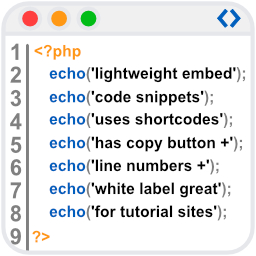
WpBetterCodeHighlighting allows you to show code snippets in over 290+ languages. Its completly free and perfect for blog/tutorial sites.
CHOOSE WHAT YOUR WEBSITE NEEDS
Start with the task you need to solve. Compare features, WordPress and PHP requirements, update history and the author’s documentation. Test changes on a private copy and avoid adding several plugins for the same job.
This independent directory displays plugin information on WebFulHost and links to the official source. Packages are not mirrored or installed here. A plugin can include paid extensions or services with separate terms from its author.
