

Code Block Pro – Beautiful Syntax Highlighting
By Kevin Batdorf
Code highlighting powered by the VS Code engine. Performance focused. No bloat.
★ 4.8/5 (50)10,000+ active installations
- Version
- 1.28.0
- WordPress
- 6.0+
- PHP
- 7.0+
- Updated
- 15 Aug 2026
WORDPRESS RESOURCES
Explore public plugin information from the official WordPress.org directory. Compare what a plugin does, its requirements and update history before adding it to your website.
Explore WordPress hosting →10 matching plugins reported by WordPress.org · Page 1 of 1
Source: WordPress.org
Data refreshed 18 Nov 2026 19:48 UTC
By Kevin Batdorf
Code highlighting powered by the VS Code engine. Performance focused. No bloat.

By Dmytro Shteflyuk
Syntax highlighting for code snippets in posts, comments, and RSS, with inline code, themes, and line numbers.

By urvanov
Reincarnation of Crayon Syntax Highlighter. Syntax Highlighter supporting multiple languages, themes, fonts, highlighting from a URL, or post text.
By conlabltd
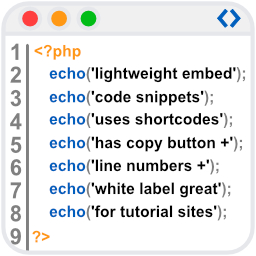
WpBetterCodeHighlighting allows you to show code snippets in over 290+ languages. Its completly free and perfect for blog/tutorial sites.

By Andi Dittrich
All-in-one Syntax Highlighting solution. Full Gutenberg and Classic Editor integration. Graphical theme customizer. Based on EnlighterJS.

By Mark Seminatore
This is a WordPress Plugin that adds support for the Verilog language to the SyntaxHighlighter Evolved plugin.

By FractalizeR
Plugin provides syntax highlighting for about 116 programming languages via Geshi.

By Carlos Ramos
Adds support for the VHDL and Verilog languages to the SyntaxHighlighter Evolved plugin. Also, includes basic syntax coloring for Xilinx UCF files.

By redcocker
This plugin is code syntax highlighter based on SyntaxHighlighter ver. 3.0.83 and 2.1.382.

By sole
Minimalistic Syntax Highlighter plug-in which also makes sure code can still be copied and pasted into your favourite compiler!
CHOOSE WHAT YOUR WEBSITE NEEDS
Start with the task you need to solve. Compare features, WordPress and PHP requirements, update history and the author’s documentation. Test changes on a private copy and avoid adding several plugins for the same job.
This independent directory displays plugin information on WebFulHost and links to the official source. Packages are not mirrored or installed here. A plugin can include paid extensions or services with separate terms from its author.