

Chatbox Manager
By alexvtn
Chatbox Manager allow you to display multiple WhatsApp buttons on your website.
★ 5.0/5 (1)300+ active installations
- Version
- 1.3.1
- WordPress
- 4.5.0+
- Updated
- 29 Aug 2026
WORDPRESS RESOURCES
Explore public plugin information from the official WordPress.org directory. Compare what a plugin does, its requirements and update history before adding it to your website.
Explore WordPress hosting →75 matching plugins reported by WordPress.org · Page 1 of 7
Source: WordPress.org
Data refreshed 18 Nov 2026 22:26 UTC
By alexvtn
Chatbox Manager allow you to display multiple WhatsApp buttons on your website.

By farazify
Display the beautiful WhatsApp Sticky Button on the WordPress frontend.

By Erez Hadas-Sonnenschein
Allow customers to contact you using Whatsapp

By Walter Pinem
Make your audience contact you directly and easily on WhatsApp with a single click.

By RadiusTheme
WooCommerce builder for Elementor includes 80+ widgets, WooCommerce templates, quick view, compare, wishlist, shop & archive page builder and more.

By Tebiko
Chat Link is a simple plugin to help you add Whatsapp Link on all pages of your Wordpress Site

By WP Swings
The membership plugin lets you easily restrict content, build online communities, customize user roles, & quickly manage access permissions.

By Erez Hadas-Sonnenschein
WhatsApp Chat, Telegram, Messenger, TikTok, Line, Viber, Instagram, Click to call, Popup and 30 more apps to boost sales and user engagement
By George Thuo
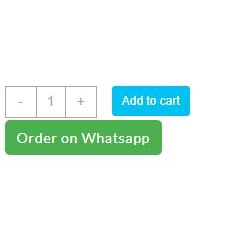
Adds an "Order on WhatsApp" button next to your WooCommerce products.

By MatrixInn Solutions
Add customizable floating action buttons to your WordPress site. WhatsApp, Call, Email, and Scroll to Top buttons with full customization.

By marcomireles
Add a bubble chat so your users can contact you directly faster and more efficiently

By codnloc
WhatsApp Chat ✅. widget that's make your Web page visitors contact you through WhatsApp or WhatsApp Business, and much more...
CHOOSE WHAT YOUR WEBSITE NEEDS
Start with the task you need to solve. Compare features, WordPress and PHP requirements, update history and the author’s documentation. Test changes on a private copy and avoid adding several plugins for the same job.
This independent directory displays plugin information on WebFulHost and links to the official source. Packages are not mirrored or installed here. A plugin can include paid extensions or services with separate terms from its author.