

360° virtual tours with info hotspots, panoramas, 360° video and AR 3D models. Free, unlimited, no watermark. Block, Elementor or shortcode.
★ 3.5/5 (2)600+ active installations
- Version
- 2.4.1
- WordPress
- 5.0+
- PHP
- 7.4+
- Updated
- 21 Nov 2026
WORDPRESS RESOURCES
Explore public plugin information from the official WordPress.org directory. Compare what a plugin does, its requirements and update history before adding it to your website.
Explore WordPress hosting →23 matching plugins reported by WordPress.org · Page 1 of 2
Source: WordPress.org
Data refreshed 22 Nov 2026 21:00 UTC
360° virtual tours with info hotspots, panoramas, 360° video and AR 3D models. Free, unlimited, no watermark. Block, Elementor or shortcode.
Create fast, interactive 360° virtual tours with hotspots, floor plans, scene navigation, and a modern React-powered builder.

By Kevin Bazira
Algori 360 Image is a Gutenberg Block Plugin that enables you add interactive 360° images to your WordPress website.

By GhozyLab
Image Slider - The best and very easy slider plugin for your post, page or sidebar. 100% Responsive.
WooCommerce 3D product viewer and 3D model viewer with free AR. Rotate, zoom, place in room. GLB, glTF, OBJ, STL. Block, Elementor, shortcode.
Automated backups, remote backup to Amazon S3 and Google Drive, stop website crashes before they happen and more. Total Upkeep is the backup solution …

By Kevin Bazira
Algori 360 Video is a Gutenberg Block Plugin that enables you add interactive 360° videos to your WordPress website.
The Most Powerful and Easy To Use Slider for Beaver Builder
By Francesco Martini
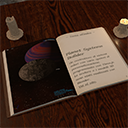
Embed and display Ebooks in your website.

By Randy Breland
60+ free Elementor widgets: gallery, testimonials, FAQ, pricing, calendar, maps, posts, plus display conditions and editor tools.
Build 2D and 3D product configurators for WooCommerce. Customers design their product with a live preview, then buy it or request a quote.

By Optimal 360
Easily create 3D 360 product views and display them on your pages interactively. No 3D Modeling required. For WooCommerce, Gutenberg, Elementor, Divi
CHOOSE WHAT YOUR WEBSITE NEEDS
Start with the task you need to solve. Compare features, WordPress and PHP requirements, update history and the author’s documentation. Test changes on a private copy and avoid adding several plugins for the same job.
This independent directory displays plugin information on WebFulHost and links to the official source. Packages are not mirrored or installed here. A plugin can include paid extensions or services with separate terms from its author.




