

Genesis Widget Column Classes
By Jory Hogeveen
Adds Genesis column classes to widgets.
★ 4.5/5 (8)5,000+ active installations
- Version
- 1.3.1
- WordPress
- 3.1+
- PHP
- 5.2.4+
- Updated
- 19 Oct 2026
WORDPRESS RESOURCES
Explore public plugin information from the official WordPress.org directory. Compare what a plugin does, its requirements and update history before adding it to your website.
Explore WordPress hosting →2,185 matching plugins reported by WordPress.org · Page 1 of 50
Source: WordPress.org
Data refreshed 17 Nov 2026 20:27 UTC
By Jory Hogeveen
Adds Genesis column classes to widgets.

Widget Options gives you super powers to control your site’s sidebar widgets and all Gutenberg blocks on pages, posts & other custom post types.
Elementor addon: 120+ widgets & templates — Elementor Gallery, Mega Menu, Slider, Form, Post Grid, Accordion, Header Footer Builder & WooCommerce.

By Elementor
The Elementor Website Builder has it all: drag and drop page builder, Atomic Editor, pixel perfect design, global and reusable style systems, mobile r …

By Greg - SiteOrigin
Essential elements for modern websites. Add buttons, sliders, heroes, maps, images, carousels, features, icons, more. Create dynamic pages easily.
90+ Elementor widgets & addons, 600+ templates, Mega Menu, WooCommerce, Display Conditions. The only Elementor addon AI agents can fully build with.
By Jory Hogeveen
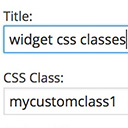
Add custom classes and ids plus first, last, even, odd, and numbered classes to your widgets.
Elementor templates, Header footer builder, Elementor Post Grid, Woocommerce Grid builder, Slider, Forms, Gallery, Nav menu addons, Elementor widgets.

By Finn Dohrn
Data privacy conform widget for list popular content (pages, posts, custom post types) – based on Statify plugin.

By Nick Halsey
The List Custom Taxonomy Widget is a quick and easy way to display custom taxonomies. Simply choose the taxonomy name you want to display from an auto …

Social chat buttons with WhatsApp, Messenger, WeChat, Telegram, Instagram, TikTok, Zalo & more — plus SMS, Call button, Contact form, and 20+ icons.

By ThemeZee
A collection of useful widgets, neatly bundled into a single plugin.
CHOOSE WHAT YOUR WEBSITE NEEDS
Start with the task you need to solve. Compare features, WordPress and PHP requirements, update history and the author’s documentation. Test changes on a private copy and avoid adding several plugins for the same job.
This independent directory displays plugin information on WebFulHost and links to the official source. Packages are not mirrored or installed here. A plugin can include paid extensions or services with separate terms from its author.


