

Automatically share and schedule your WordPress content on top social platforms like Facebook, Instagram, LinkedIn, TikTok, and more.
★ 4.5/5 (2,111)40,000+ active installations
- Version
- 9.1.7
- WordPress
- 6.2+
- PHP
- 7.4+
- Updated
- 6 Nov 2026
WORDPRESS RESOURCES
Explore public plugin information from the official WordPress.org directory. Compare what a plugin does, its requirements and update history before adding it to your website.
Explore WordPress hosting →83 matching plugins reported by WordPress.org · Page 1 of 7
Source: WordPress.org
Data refreshed 18 Nov 2026 23:57 UTC
Automatically share and schedule your WordPress content on top social platforms like Facebook, Instagram, LinkedIn, TikTok, and more.

By 3UU
Shariff provides share buttons that respect the privacy of your visitors and follow the General Data Protection Regulation (GDPR).
Social sharing plugin adding social buttons.
Share buttons and pop up share icons for social media sharing
By Jelle Roorda
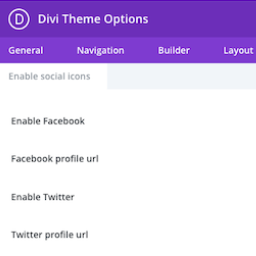
This plugin adds the ability to add more social icons to your website when using the Divi theme.

By maxfoundry
Our Share Button addon to MaxButtons and MaxButtons Pro plugins gets you up and sharing within minutes. It's easy to setup and offers flexibility …

By CrestaProject
Share your posts and pages quickly and easily with Cresta Social Share Counter and show share counts.
Simple & easy plugin to add social media sharing icons, buttons like Facebook, Twitter, WhatsApp, Instagram & more

By Olly Campion
Adds powerful customizer options to modify all aspects of the default WordPress theme Twenty Twenty-One.

By AJ Clarke
Social Widget plugin for displaying links to your social media in any widget area. Created by WPExplorer, this plugin allows you to add colorful icons …

By Kybernetik Services
Let your website visitors get in touch with you easily with permanent visible contact information.

By catchsquare
A widget to add links of social networking sites.
CHOOSE WHAT YOUR WEBSITE NEEDS
Start with the task you need to solve. Compare features, WordPress and PHP requirements, update history and the author’s documentation. Test changes on a private copy and avoid adding several plugins for the same job.
This independent directory displays plugin information on WebFulHost and links to the official source. Packages are not mirrored or installed here. A plugin can include paid extensions or services with separate terms from its author.


