


Description
Backhaven for WooCommerce is a free plugin that connects your store to Backhaven, an online backup service. Once connected, the service backs up your store data automatically, so you can find and restore a product, a page or a customer when something goes wrong.
This plugin relies on an external service. The plugin itself does not store any backup. All backups are made and kept by the Backhaven service, at https://woo-backup.expert-ecom.com. Nothing is sent to the service until you tick the consent box and click “Connect” on the WooCommerce > Backhaven page. The “External services” section below lists exactly what is sent, and when.
What the service backs up:
- Products, with their variations and images
- Product categories and product tags
- Customers
- Orders
- Coupons
- Pages and posts
How it works:
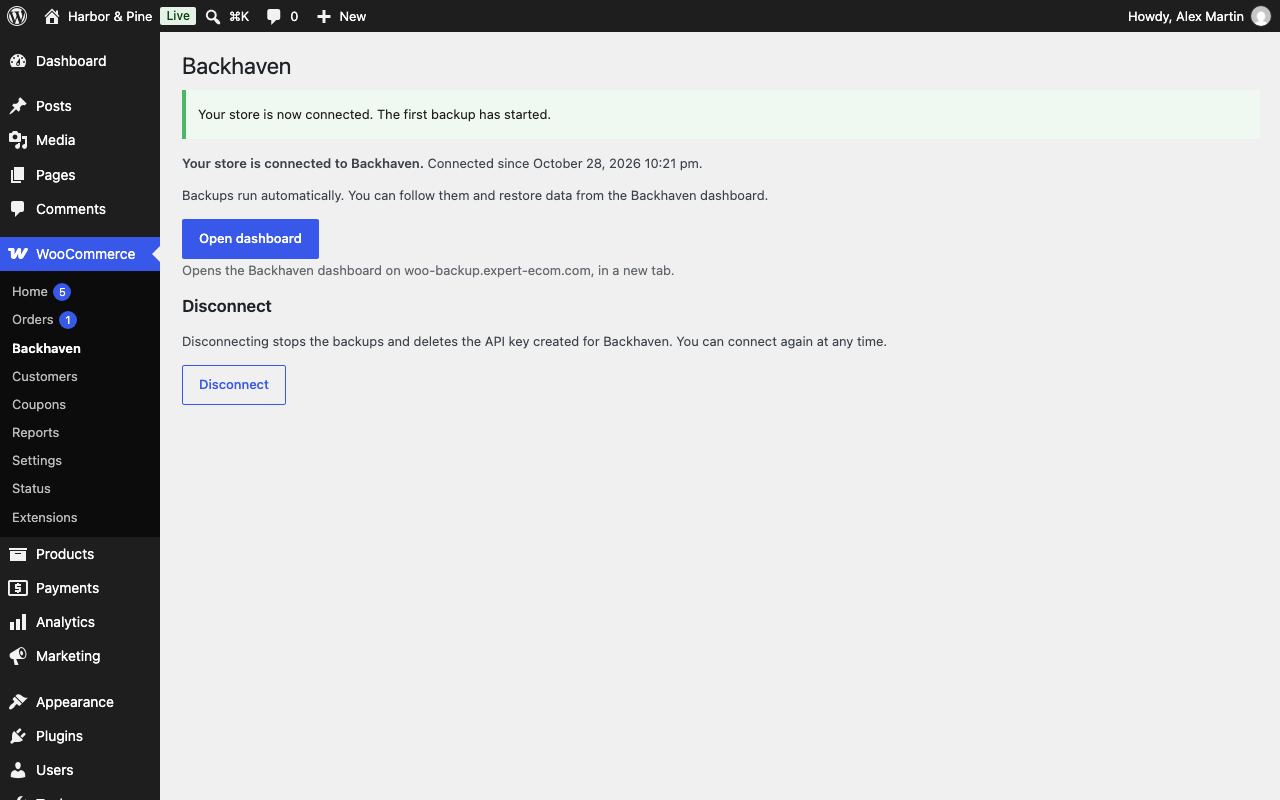
- Go to WooCommerce > Backhaven, read what is sent, tick the consent box and click “Connect”.
- WooCommerce shows its own approval screen. When you approve, WooCommerce creates an API key for Backhaven and gives it to the service.
- The service reads your data through this plugin, page by page, using that key. The plugin reads your data through the official WooCommerce and WordPress REST APIs, so variable products come with all their variations in one request.
- When you change something, the plugin tells the service which items changed (their ids only), and the service backs them up within minutes.
You can disconnect at any time from the same page: the API key created for Backhaven is deleted, and the service can no longer access your store.
The plugin works with both WooCommerce order storage modes (High-Performance Order Storage and posts storage).
Free and paid
The plugin is free and has no locked features: it works the same on every plan.
The Backhaven service has a free plan and paid plans. Plans differ by the number of orders your store takes each month and by how long backups are kept:
- Free: $0, up to 100 orders a month, 14 days of history.
- Essential: $5.99 a month or $59.00 a year, up to 500 orders a month, 365 days of history.
- Growth: $12.99 a month or $129.00 a year, up to 2,000 orders a month, 365 days of history.
- Pro: $24.99 a month or $249.00 a year, up to 6,000 orders a month, 365 days of history.
- Business: $49.99 a month or $499.00 a year, up to 15,000 orders a month, 365 days of history.
Your first paid plan starts with a 14-day free trial. Paid plans are billed by Stripe, in US dollars, and Backhaven does not add any tax to the prices. You choose, change or cancel a plan in your Backhaven dashboard (WooCommerce > Backhaven > Open dashboard > Plan and billing), on the service’s own website: payment never happens in your WordPress admin, and the plugin sends nothing to Stripe. Going over your plan’s order limit never pauses your backups. Every plan and its terms: https://woo-backup.expert-ecom.com/pricing and https://woo-backup.expert-ecom.com/terms.
External services
This plugin connects your store to the Backhaven service (https://woo-backup.expert-ecom.com). It is required: without it, the plugin does nothing. Data is sent only after you give your consent on the WooCommerce > Backhaven page, and only in the cases below.
- When you click “Connect”, the plugin sends your store address and the versions of WordPress, WooCommerce, PHP and the plugin to the service.
- When you approve the connection on the WooCommerce screen, WooCommerce sends a new API key (read and write access) directly to the service. Backhaven uses it to back up your data, and to restore it when you ask.
- At every backup, the service reads, through the routes of this plugin: products (with their variations and images), product categories and tags, customers (names, usernames, email and postal addresses, phone numbers), orders (with the buyer’s contact details and addresses, IP address, browser and order notes), coupons, pages and posts, as well as your store name and admin email address (used to send you backup reports and emails about your plan; if you choose a paid plan, both are also shared with Stripe, which bills it).
- When something changes in your store (a product, an order, a customer, a coupon, a category, a tag, a page or a post is created or updated), the plugin sends the service the ids of the changed items, and only their ids, so that the service can back them up within minutes. This runs in the background with Action Scheduler (included in WooCommerce) and never slows down your pages or your checkout. Action Scheduler runs when your site has visits (or through WP-Cron), so on a quiet site these real-time backups can be delayed; the scheduled backup always catches up.
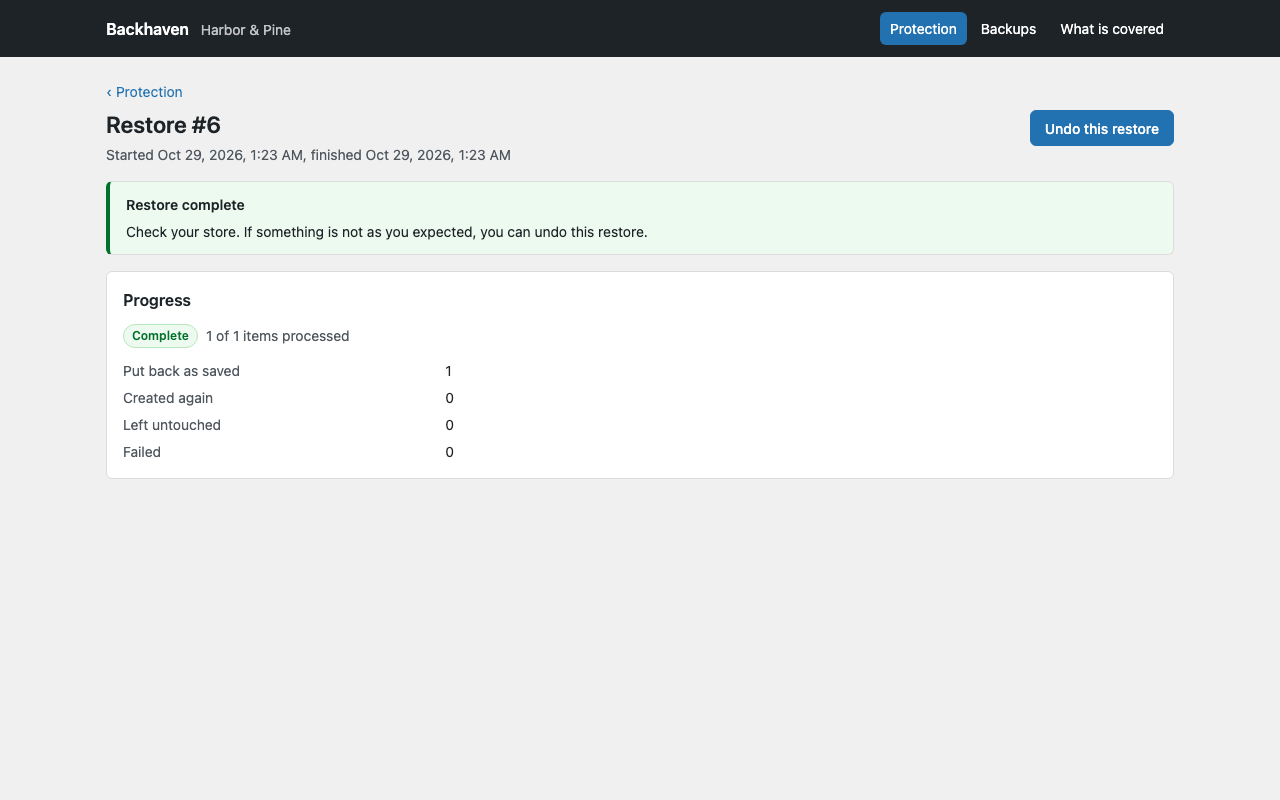
- When you ask for a restore in the Backhaven dashboard, the service writes the backed-up data back to your store: categories, tags, products, product images, customers and coupons through the WooCommerce REST API, and pages and posts through this plugin. Customer passwords and marketing consents are never written, and a restored customer account does not receive the “Your account has been created” email (the customer sets a new password with “Lost your password?”). A copy of the current state is taken first, so a restore can be undone.
- When you click “Open dashboard”, the plugin asks the service for a single-use sign-in link (valid two minutes), then opens the Backhaven dashboard on the service’s own website, in a new tab.
- When you click “Disconnect” or delete the plugin, the plugin tells the service that the store is disconnected.
The first call, when you click “Connect”, is not signed, because the service has not given your store its secret yet: it carries only your store address and the versions listed above. After the connection, every call from the plugin to the service (disconnection, change notifications, dashboard link) is signed with a secret that the service gave to your store, and the service refuses a call whose signature does not match or that is more than five minutes old.
The Backhaven dashboard is a website of the service, opened in a new tab. It is never embedded in your WordPress admin (no iframe), and the plugin does not load any script or style from the service or from a third-party server: everything the plugin shows in your admin comes from the plugin itself.
Backups are stored by the service on Cloudflare R2 storage. The API key is kept encrypted by the service.
- Backhaven terms of use: https://woo-backup.expert-ecom.com/terms
- Backhaven privacy policy: https://woo-backup.expert-ecom.com/privacy
FAQ
Does my store need HTTPS?
Yes. Your store data includes the names, email and postal addresses and phone numbers of your customers: Backhaven only connects stores that use HTTPS, so this data is always encrypted on its way.
Is the plugin free?
Yes. The plugin is free and has no locked features. The backups themselves are made by the Backhaven online service, which has a free plan (14 days of history) and paid plans from $5.99 a month (365 days of history), with a 14-day free trial on your first paid plan. Paid plans are billed by Stripe, from your Backhaven dashboard (see “Free and paid” above).
Who can connect the store?
A user who can manage WooCommerce (the “manage_woocommerce” capability, which administrators and shop managers have). The API key created for Backhaven belongs to that user.
What happens if I disconnect?
The API key created for Backhaven is deleted from your store, so the service can no longer read or change anything. Your existing backups are kept by the service according to its retention policy. Once the service has been told of the disconnection, a paid plan is also set to stop at the end of the current billing period, so you are not charged again. If the plugin says that the service could not be told, write to Backhaven: they stop your plan and delete your backups.
What happens if I delete the plugin?
The plugin tells the service that the store is disconnected, deletes the API key created for Backhaven and removes all its settings, on every site of a multisite network.
Does the plugin slow down my store?
No. The plugin does nothing on your storefront. It only answers the requests of the Backhaven service, one page of data at a time.
Screenshots



Changelog
1.0.1
- Paid plans are open: the readme lists every plan and its price. Plans are chosen, changed or cancelled in the Backhaven dashboard and billed by Stripe.
- The consent text now says that your store name and admin email address are also used for emails about your Backhaven plan, and shared with Stripe if you choose a paid plan.
1.0.0
- First version: connection with consent, WooCommerce API key approval, export routes for products (with variations), categories, tags, customers, orders, coupons, pages and posts, real-time change notifications (ids only), and a single-use link to the Backhaven dashboard.