

WPS Hide Login
By Remy Perona
Change wp-login.php to anything you want.
★ 4.8/5 (2,114)2,000,000+ active installations
- Version
- 1.9.20
- WordPress
- 4.1+
- PHP
- 7.0+
- Updated
- 12 Nov 2026
WORDPRESS RESOURCES
Explore public plugin information from the official WordPress.org directory. Compare what a plugin does, its requirements and update history before adding it to your website.
Explore WordPress hosting →1,079 matching plugins reported by WordPress.org · Page 1 of 50
Source: WordPress.org
Data refreshed 19 Nov 2026 19:35 UTC
By Remy Perona
Change wp-login.php to anything you want.

By Saad Iqbal
Secure and customize your WordPress login page with a custom login URL, 2FA, CAPTCHA, and more.

Membership & community plugin with user profiles, registration & login, member directories, content restriction, user roles and much more.

By Kevin Vess
Force Login is a simple lightweight plugin that requires visitors to log in to interact with the website.
Two-factor authentication, passkeys, social login, magic login, limit login attempts, file change scanning and audit logs for WordPress.

By Jeff Farthing
Frontend login, registration and password reset pages that match your theme, at your own URLs, instead of the default wp-login.php screen.

By colorlibplugins
Customize your WordPress login page with live preview. Change logo, background, colors, and form styling without coding.
By Robert Peake
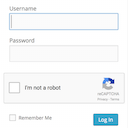
Adds a Google No Captcha ReCaptcha checkbox to your Wordpress and Woocommerce login, forgot password, and user registration pages.

By Nicu Micle
Modern JWT authentication for WordPress REST APIs, headless frontends, mobile apps, and WPGraphQL - fully free, no upsells.

By Mike Jolley
Easily add an ajax-enhanced login widget to your WordPress site sidebar.

By Austin
Custom Login allows you to easily customize your admin login page, works great for client sites!

By Really Simple Plugins
Easily improve site security with WordPress Hardening, Two-Factor Authentication (2FA), Login Protection, Vulnerability Detection and SSL certificate.
CHOOSE WHAT YOUR WEBSITE NEEDS
Start with the task you need to solve. Compare features, WordPress and PHP requirements, update history and the author’s documentation. Test changes on a private copy and avoid adding several plugins for the same job.
This independent directory displays plugin information on WebFulHost and links to the official source. Packages are not mirrored or installed here. A plugin can include paid extensions or services with separate terms from its author.
