

Use product and country rules to show or hide payment gateways in WooCommerce, improve margins, and streamline checkout.
★ 4.2/5 (18)4,000+ active installations
- Version
- 2.0.1
- WordPress
- 4.4+
- PHP
- 7.4+
- Updated
- 19 Nov 2026
WORDPRESS RESOURCES
Explore public plugin information from the official WordPress.org directory. Compare what a plugin does, its requirements and update history before adding it to your website.
Explore WordPress hosting →10,000 matching plugins reported by WordPress.org · Page 10 of 50
Source: WordPress.org
Data refreshed 25 Nov 2026 20:47 UTC
Use product and country rules to show or hide payment gateways in WooCommerce, improve margins, and streamline checkout.

By TPlugins
Boost your sales by replacing WooCommerce's default product gallery with a beautiful, feature-rich gallery.

By YITHEMES
YITH WooCommerce Product Slider Carousel allows you to create responsive product sliders!

By QuantumCloud
Display Category based Product Listing for WooCommerce in tab format on any page. Woocommerce category list and woocommerce product table.

By VillaTheme
Create irresistible bundle products for WooCommerce, offering flexible pricing and great deals for your customers
By Eduard Doloc
Safely deletes WooCommerce product images (featured, gallery, variations) on permanent delete, with protection for shared images.
Create responsive photo, image and masonry galleries in WordPress with FooGallery, plus carousel, lightbox, albums, SEO and video gallery support.

By TMM Technology
Resize large photos automatically before they reach WordPress. Reduce upload size and server processing with browser-side JPEG and PNG resizing.

The WooCommerce product feed plugin built for Google. UNLIMITED products & feeds, completely free. Create your Google Merchant feed in 5 minutes.

By Waseem Senjer
A simple way to set free shipping for certain products.

By Trusty Plugins
AJAX filter & WooCommerce product filter. Filter posts, CPTs & products by category, taxonomy, attribute & price. Build with drag & drop or AI (MCP).
By Pektsekye
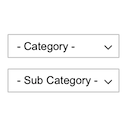
Displays product categories as dependent drop-down selects.
CHOOSE WHAT YOUR WEBSITE NEEDS
Start with the task you need to solve. Compare features, WordPress and PHP requirements, update history and the author’s documentation. Test changes on a private copy and avoid adding several plugins for the same job.
This independent directory displays plugin information on WebFulHost and links to the official source. Packages are not mirrored or installed here. A plugin can include paid extensions or services with separate terms from its author.
