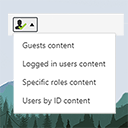
The simplest way of controlling who sees what in your posts/pages. Restrict content to logged in users only (or guests, or by roles) with simple short …
★ 4.9/5 (13)1,000+ active installations
- Version
- 2.3
- WordPress
- 3.6+
- Updated
- 29 Jan 2026
View plugin details ↗Display Elementor sections/canvas/templates using shortcode in anywhere of your site.
200+ active installations
- Version
- 1.0.4
- WordPress
- 6.2+
- PHP
- 7.0+
- Updated
- 13 Oct 2026
View plugin details ↗An email marketing tool for your blog: subscription forms to create your lists with unlimited subscribers and newsletters.
★ 4.6/5 (1,205)200,000+ active installations
- Version
- 9.5.7
- WordPress
- 6.1+
- PHP
- 7.0+
- Updated
- 12 Nov 2026
View plugin details ↗Create a careers page for your company website, or build a public job board for your community.
★ 4.4/5 (237)70,000+ active installations
- Version
- 2.4.12
- WordPress
- 6.4+
- PHP
- 7.4+
- Updated
- 16 Nov 2026
View plugin details ↗Add Font Awesome Free icons that stay current automatically, with a native WordPress block, shortcodes, a Classic Editor picker, and legacy support.
★ 4.5/5 (88)60,000+ active installations
- Version
- 3.2.0
- WordPress
- 6.5+
- PHP
- 7.4+
- Updated
- 10 Sep 2026
View plugin details ↗Events slider, carousel, grid, list & timeline with filter bar. Eventful is a The Events Calendar addon with Gutenberg block & shortcode support.
★ 5.0/5 (7)400+ active installations
- Version
- 2.5.0
- WordPress
- 5.7+
- PHP
- 7.4+
- Updated
- 16 Nov 2026
View plugin details ↗Adds a user friendly and fully automatic way to create and display a table of contents generated from the page content.
★ 4.4/5 (221)600,000+ active installations
- Version
- 2.0.90
- WordPress
- 5.0+
- PHP
- 5.6.20+
- Updated
- 16 Nov 2026
View plugin details ↗Create and save SQL Reports in your WP Admin and place them on pages and posts with a shortcode. Keep your database safe with automatic backups.
★ 4.7/5 (15)500+ active installations
- Version
- 5.26.46
- WordPress
- 2.6+
- Updated
- 19 Nov 2026
View plugin details ↗Relevanssi replaces the default search with a partial-match search that sorts results by relevance. It also indexes comments and shortcode content.
★ 4.8/5 (406)100,000+ active installations
- Version
- 4.28.8
- WordPress
- 4.9+
- PHP
- 7.1+
- Updated
- 30 Oct 2026
View plugin details ↗A lightweight WordPress shortcodes plugin.
★ 5.0/5 (2)1,000+ active installations
- Version
- 3.4
- WordPress
- 4.0+
- Updated
- 19 Dec 2025
View plugin details ↗file manager provides you ability to edit, delete, upload, download, copy and paste files and folders.
★ 4.6/5 (1,494)1,000,000+ active installations
- Version
- 8.0.7
- WordPress
- 4.0+
- PHP
- 5.2.4+
- Updated
- 30 Oct 2026
View plugin details ↗