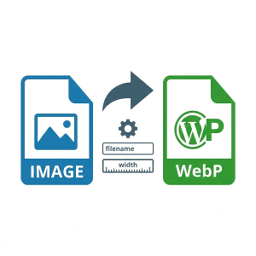
Intercepts image paste and drop in Gutenberg, converts them to WebP/PNG or keeps original formats, and inserts them into posts.
★ 5.0/5 (1)0+ active installations
- Version
- 1.0.3
- WordPress
- 6.0+
- PHP
- 7.4+
- Updated
- 23 Aug 2026
View plugin details ↗A simple plugin that adds a shortcode to copy the current page URL with a tooltip message. Just use [copy_url_button].
★ 5.0/5 (1)20+ active installations
- Version
- 1.0.0
- WordPress
- 5.2+
- Updated
- 31 May 2025
View plugin details ↗Add Copy Link & Show QR buttons to posts, pages, and custom post types. Includes settings for post types, button placement, admin toggle, shortcod …
★ 5.0/5 (2)10+ active installations
- Version
- 1.1
- WordPress
- 6.1+
- PHP
- 7.4+
- Updated
- 3 Oct 2025
View plugin details ↗Check if your articles are ready for Google Discover. Get a score, criteria breakdown, and AI-powered fixes in your editor.
★ 5.0/5 (3)20+ active installations
- Version
- 1.0.2
- WordPress
- 5.8+
- PHP
- 7.4+
- Updated
- 23 Mar 2026
View plugin details ↗Automatically generate relevant tags for your posts using YouTube search suggestions and phrase combination logic.
10+ active installations
- Version
- 1.0.0
- WordPress
- 5.0+
- PHP
- 7.4+
- Updated
- 4 Sep 2026
View plugin details ↗Let customers pay by bank transfer, mobile money, Zelle or crypto, then upload proof. You review and approve. WooCommerce or standalone forms.
★ 5.0/5 (1)0+ active installations
- Version
- 1.7.1
- WordPress
- 5.8+
- PHP
- 7.4+
- Updated
- 25 Nov 2026
View plugin details ↗A collection of addons you can't find in standard builders - customize and display visuals to spice up your website's looks!
★ 5.0/5 (1)30+ active installations
- Version
- 2.0.6
- WordPress
- 6.0.0+
- PHP
- 7.4+
- Updated
- 3 Apr 2025
View plugin details ↗High-performance, privacy-focused, accessible social sharing buttons. Native SVG icons, zero tracking, per-device visibility control.
★ 5.0/5 (1)0+ active installations
- Version
- 7.7
- WordPress
- 6.0+
- PHP
- 7.4+
- Updated
- 26 Nov 2026
View plugin details ↗Professional Arabic typography. Display beautiful Arabic text with high-performance fonts, colorization, transliterations, and Gutenberg support.
10+ active installations
- Version
- 3.1.1
- WordPress
- 5.0+
- PHP
- 7.2+
- Updated
- 24 May 2026
View plugin details ↗Give AI the full picture of any plugin or theme: one-click AI context packs, code search, a built-in MCP server and secret redaction.
★ 5.0/5 (3)10+ active installations
- Version
- 2.3.0
- WordPress
- 5.8+
- PHP
- 7.4+
- Updated
- 23 Oct 2026
View plugin details ↗Generate AI product photos via ChatGPT directly from your WooCommerce store — one click to launch a custom prompt with the product image pre-loaded.
10+ active installations
- Version
- 1.0.0
- WordPress
- 6.0+
- PHP
- 8.0+
- Updated
- 8 May 2026
View plugin details ↗
By Mircea – Quantum WP Plugins
Add a Copy to Clipboard button for text, promo codes, and code snippets in WordPress and Elementor with shortcode and widget support.
★ 5.0/5 (1)0+ active installations
- Version
- 1.0.1
- WordPress
- 5.8+
- PHP
- 7.4+
- Updated
- 28 Mar 2026
View plugin details ↗