Default Sort Ascend
By rdsteed
This plugin changes the default order of queries generating posts from descending to ascending.
★ 4.9/5 (7)400+ active installations
- Version
- 0.9
- WordPress
- 2.0+
- Updated
- 1 Apr 2026
WORDPRESS RESOURCES
Explore public plugin information from the official WordPress.org directory. Compare what a plugin does, its requirements and update history before adding it to your website.
Explore WordPress hosting →10,000 matching plugins reported by WordPress.org · Page 11 of 50
Source: WordPress.org
Data refreshed 24 Nov 2026 12:22 UTC
By rdsteed
This plugin changes the default order of queries generating posts from descending to ascending.
WP Travel is the optimal choice among the WordPress Travel Booking Plugin and Tour Operator to Create Travel and Trekking Websites Without Coding!
An in-browser PHP console for WordPress powered by PsySH

By WP Socio
Integrate your WordPress site perfectly with Telegram with full control.

By Lester Chan
Now you don't need to add friends as users to the blog in order to let them preview your drafts

By iSaumya
Monitor your WP site the right way with most important stats like Database, PHP details, PHP Memory, RAM Usage, CPU load, Server Uptime & more.

By Wow-Company
Add code snippets, header & footer scripts and custom HTML, CSS, JS & PHP — site-wide or by shortcode and block, no theme edits.
By Roland Murg
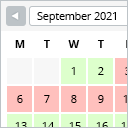
This booking calendar shows when something is booked or available. Use it to show when your holiday home is available for rent, for example.

By Magazine3
PWA plugin is bringing the power of the Progressive Web Apps to the WP & AMP to take the user experience to the next level.

By Olly Campion
Blocks direct access to wp-login.php and replaces it with a secret login URL to reduce brute-force traffic on Apache servers.

By LiteSpeed Technologies
All-in-one unbeatable acceleration & PageSpeed improvement: caching, image/CSS/JS optimization...
Everything you need for a faster website – smart optimization, advanced caching, adaptive images, WebP creation, script improvements, optional CDN del …
CHOOSE WHAT YOUR WEBSITE NEEDS
Start with the task you need to solve. Compare features, WordPress and PHP requirements, update history and the author’s documentation. Test changes on a private copy and avoid adding several plugins for the same job.
This independent directory displays plugin information on WebFulHost and links to the official source. Packages are not mirrored or installed here. A plugin can include paid extensions or services with separate terms from its author.