Essential toolkit for a WordPress site: block editor enhancements, maintenance mode, image optimization, login and more.
★ 5.0/5 (3)500+ active installations
- Version
- 1.5.6
- WordPress
- 5.8+
- PHP
- 7.0+
- Updated
- 19 Nov 2026
View plugin details ↗Copy, paste, clone, delete & collapse menu items, duplicate & export/import whole menus (JSON), and use shortcodes in menu items.
50+ active installations
- Version
- 1.1.3
- WordPress
- 5.0+
- PHP
- 7.4+
- Updated
- 1 Jun 2026
View plugin details ↗A powerful Elementor widget that creates customizable sitemaps for your footer or any widget area with extensive customization options.
30+ active installations
- Version
- 1.0.1
- WordPress
- 5.0+
- PHP
- 8.0+
- Updated
- 15 Oct 2026
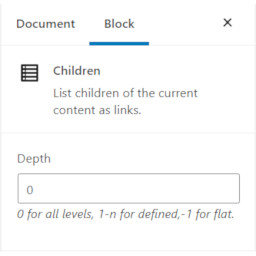
View plugin details ↗List children of the current content as links.
400+ active installations
- Version
- 1.3.0
- WordPress
- 5.4.2+
- PHP
- 7.2.0+
- Updated
- 12 Aug 2025
View plugin details ↗Create powerful frontend submission forms for ACF and SCF with complete control over fields, taxonomies, and user submissions.
★ 5.0/5 (1)60+ active installations
- Version
- 1.0.0
- WordPress
- 6.8+
- PHP
- 8.0+
- Updated
- 25 Feb 2026
View plugin details ↗
By SearchnScore Solutions
WordPress custom field builder & Advanced Custom Fields alternative. Create custom fields, post types, meta boxes, options pages with zero lock-in.
★ 5.0/5 (1)10+ active installations
- Version
- 2.1.0
- WordPress
- 6.0+
- PHP
- 7.4+
- Updated
- 24 Nov 2026
View plugin details ↗
By Ash Brentnall | ABCode
Purges the full listing hierarchy 20i StackCache leaves stale when you edit a post (homepage, archives and feeds) and rebuilds it.
60+ active installations
- Version
- 1.0.0
- WordPress
- 5.6+
- PHP
- 7.4+
- Updated
- 18 Aug 2026
View plugin details ↗A lightweight, SEO-friendly breadcrumb trail for posts, pages, and custom post types. Works with Elementor and the block editor.
40+ active installations
- Version
- 1.2.5
- WordPress
- 5.8+
- PHP
- 7.0+
- Updated
- 4 Jul 2026
View plugin details ↗Add custom configured page lists to your posts, pages, and sidebars, including Elementor list and grid widgets.
20+ active installations
- Version
- 2.0.0
- WordPress
- 6.0+
- PHP
- 7.4+
- Updated
- 20 Oct 2026
View plugin details ↗Add term-related blocks. Suitable for classic or hybrid themes.
★ 5.0/5 (1)40+ active installations
- Version
- 1.2.2
- WordPress
- 5.9+
- PHP
- 7.2+
- Updated
- 21 May 2025
View plugin details ↗Quickly generate multiple draft posts or pages with optional hierarchical structure using hyphen-based indentation.
10+ active installations
- Version
- 1.0.3
- WordPress
- 6.0+
- PHP
- 7.2+
- Updated
- 22 Nov 2026
View plugin details ↗Site operators can create detailed, hierarchical documentation for the site's authors, editors, and contributors, viewable in the WordPress admin.
★ 4.8/5 (54)8,000+ active installations
- Version
- 1.7.5
- WordPress
- 4.9+
- Updated
- 20 Apr 2024
View plugin details ↗