

Classic Blog Grid
By classictemplate
Classic Blog Grid : A plugin to display blog posts in various grid formats: list, masonry, and slider.
★ 3.0/5 (2)3,000+ active installations
- Version
- 2.2
- WordPress
- 5.2+
- PHP
- 7.4+
- Updated
- 7 Sep 2026
WORDPRESS RESOURCES
Explore public plugin information from the official WordPress.org directory. Compare what a plugin does, its requirements and update history before adding it to your website.
Explore WordPress hosting →1,033 matching plugins reported by WordPress.org · Page 11 of 50
Source: WordPress.org
Data refreshed 22 Nov 2026 13:59 UTC
By classictemplate
Classic Blog Grid : A plugin to display blog posts in various grid formats: list, masonry, and slider.
Animated Text Block – Add dynamic, customizable text animations to your WordPress site with ease.

Create smooth Elementor marquee sliders, logo marquees, news tickers, image box & icon box, post scrollers, testimonials & WooCommerce marquees.

By EqualWeb Accessibility
Free PDF accessibility checker with reports, AI remediation to tagged PDF/UA files, and the EqualWeb accessibility widget with a button designer.
Build responsive FAQ sections with accordion themes, FAQ schema for SEO rich results, Gutenberg block and shortcode support – no coding needed.
AI website builder, animations and custom css for the block editor and Elementor
EnterAddons | Ultimate Addons For WordPress And Elementor
Gutenberg block editor with AI. 70+ Gutenberg blocks, patterns, WooCommerce blocks, post grid, gallery, menu with Gutenberg block library.

By Vektor,Inc.
This is a plugin that extends Gutenberg's blocks.
By Rodrigo Bogdanowicz
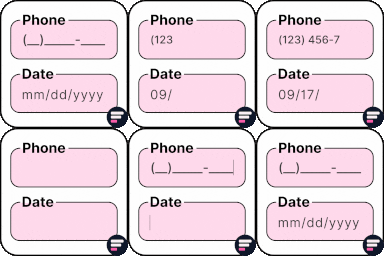
Apply input masks in Elementor form widget fields - phone, date, time, credit card, CPF, CNPJ, CEP & more for valid and error-free entries.

By QuantumCloud
Remove Comment Author Link & Links from Comments, Unlink, Disable Comments, Delete All Pending Comments. AI Auto Comment Reply, Voice, Attachments

The best BuddyPress plugin for building online communities, user profile, social networks, and membership sites on WordPress with tons of features.
CHOOSE WHAT YOUR WEBSITE NEEDS
Start with the task you need to solve. Compare features, WordPress and PHP requirements, update history and the author’s documentation. Test changes on a private copy and avoid adding several plugins for the same job.
This independent directory displays plugin information on WebFulHost and links to the official source. Packages are not mirrored or installed here. A plugin can include paid extensions or services with separate terms from its author.




