

Free alt text checker for WordPress: find missing, generic or duplicate image alt text, get an ALT Quality Score (0-100%) and fix it all in bulk.
★ 5.0/5 (5)200+ active installations
- Version
- 1.3.0
- WordPress
- 5.8+
- PHP
- 7.4+
- Updated
- 24 Oct 2026
WORDPRESS RESOURCES
Explore public plugin information from the official WordPress.org directory. Compare what a plugin does, its requirements and update history before adding it to your website.
Explore WordPress hosting →532 matching plugins reported by WordPress.org · Page 12 of 45
Source: WordPress.org
Data refreshed 21 Nov 2026 00:45 UTC
Free alt text checker for WordPress: find missing, generic or duplicate image alt text, get an ALT Quality Score (0-100%) and fix it all in bulk.

By YayCommerce
Customize WooCommerce email templates with an advanced drag-and-drop email builder. Works great with 80+ WooCommerce Email Customizer Addons.

By JetixWP Plugins
Really Simple Featured Video lets you add product video & featured video to WooCommerce Products & Posts, Pages, CPTs (with featured images) a …
WooCommerce product and category sliders with a no-crop mode that shapes each frame to its photo. Gutenberg block, Elementor widget and shortcode.

By Creavi
Create Elementor tickers, carousels, and sliders from images or registered post types, with custom-field mapping and responsive image loading.

By badasswp
Convert your WordPress JPG and PNG images to efficient WebP format, improving performance, reducing file size, and enhancing website speed.

By Stephen Harris
Create and maintain events, including complex reoccurring patterns, venue management (with Google Maps or OpenStreetMap), calendars and customisable e …

By Codexpert, Inc
Design stunning WooCommerce sites that sell with 94+ Widgets, 14+ Modules, & 150+ Templates of CoDesigner Elementor WooCommerce addon.
Automatically compress every image and serve WebP and AVIF to every visitor. Small files, the quality you choose, zero manual work.

By fridaysystems
Vehicle inventory management for dealerships. Supports multiple car lot locations. Provides listing templates & photo sliders. Multisite compatible.

By Monowar Hossain (devmonowar)
Create reusable carousel sliders in minutes — no jQuery, block-ready, accessible, and no coding required. Assets load only where a slider runs.
By SandyRig
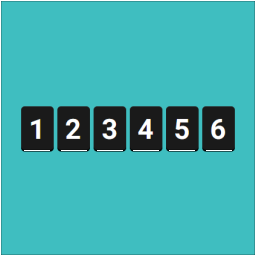
Display unique visitor or page-view counts anywhere on your site using widgets or shortcodes — Simple, very lightweight and no third-party code.
CHOOSE WHAT YOUR WEBSITE NEEDS
Start with the task you need to solve. Compare features, WordPress and PHP requirements, update history and the author’s documentation. Test changes on a private copy and avoid adding several plugins for the same job.
This independent directory displays plugin information on WebFulHost and links to the official source. Packages are not mirrored or installed here. A plugin can include paid extensions or services with separate terms from its author.

