

WordPress login security with brute force protection, Two-factor authentication (2FA/MFA), firewall, IP/country blocking, and login monitoring
★ 4.8/5 (1,494)1,000,000+ active installations
- Version
- 3.4.9
- WordPress
- 5.4+
- Updated
- 27 Nov 2026
WORDPRESS RESOURCES
Explore public plugin information from the official WordPress.org directory. Compare what a plugin does, its requirements and update history before adding it to your website.
Explore WordPress hosting →5,785 matching plugins reported by WordPress.org · Page 12 of 50
Source: WordPress.org
Data refreshed 27 Nov 2026 17:39 UTC
WordPress login security with brute force protection, Two-factor authentication (2FA/MFA), firewall, IP/country blocking, and login monitoring
Freeform page builder & website builder for WordPress. Infinite canvas for complex, interactive websites. Built-in forms, animations & Customizer.

Create WordPress websites with free forms, Gutenberg blocks, popups, sliders, countdowns, animations, pre-built pages, patterns & The Theme Designer

By Jeff Starr
Displays a user-friendly contact form that your visitors will love. Lightweight, fast, secure, and accessible (ADA/WCAG compliant).

The best drag-and-drop Popup Builder for WordPress. Create Popups, exit-intent popups, slide-ins, and lead generation forms & Woocommerce popups i …
By theme funda
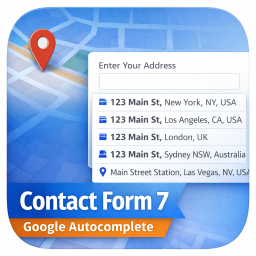
Add a Google Address Autocomplete field to Contact Form 7 forms. Powered by Google Places API for real-time address suggestions and accurate data coll …

Registration forms, a frontend login form, user profiles and a member directory for WordPress. Add Stripe payments and content restriction.

By WP Chill
Powerful Download Manager Plugin for WordPress

By Scott Kingsley Clark
Pods is a framework for creating, managing, and deploying customized content types and fields for any project.

By Shabti Kaplan
This awesome plugin allows you to easily display frontend forms on your site so your clients can easily edit content by themselves from the frontend.

By CrossPeak
Add-on for Gravity Forms to create a Blacklisting of specific emails or domains for the Email input field to throw a validation error or mark as spam.

By pbosakov
Lets you easily turn any Contact Form 7 form into a quote or price estimate calculator.
CHOOSE WHAT YOUR WEBSITE NEEDS
Start with the task you need to solve. Compare features, WordPress and PHP requirements, update history and the author’s documentation. Test changes on a private copy and avoid adding several plugins for the same job.
This independent directory displays plugin information on WebFulHost and links to the official source. Packages are not mirrored or installed here. A plugin can include paid extensions or services with separate terms from its author.
