

User Registration for Elementor Forms
By add-ons.org
Create custom user registration forms with Elementor Pro Forms, including advanced field validation.
★ 5.0/5 (1)300+ active installations
- Version
- 2.0.1
- WordPress
- 2.0+
- Updated
- 24 Sep 2026
WORDPRESS RESOURCES
Explore public plugin information from the official WordPress.org directory. Compare what a plugin does, its requirements and update history before adding it to your website.
Explore WordPress hosting →6,609 matching plugins reported by WordPress.org · Page 12 of 50
Source: WordPress.org
Data refreshed 20 Nov 2026 21:59 UTC
By add-ons.org
Create custom user registration forms with Elementor Pro Forms, including advanced field validation.

By 5 Star Plugins (Rob)
Age restricts adult only, vape or alcohol sites with a fullscreen popup window. Quick turnkey setup with customization and translation options.
More than 20 special blocks for Gutenberg to build complex pages and animations with highest possible web vitals score.

By Ideologix
Block or allow WordPress visitors by country, US state or region, IP, CIDR, or ASN. Protect public pages, login, and wp-admin.

By Tom
A small collection of lightweight WordPress blocks that can accomplish nearly anything.

By Cool Plugins
Add a country code dropdown with flags to Elementor form phone field for valid international numbers. Also works with Hello Plus form widget.

By PickPlugins
Email verification for user registration to protect spam.
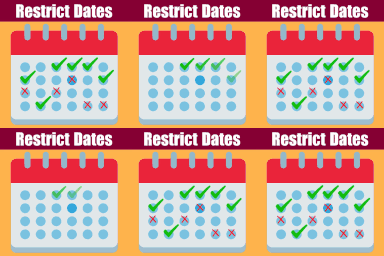
By add-ons.org
Restrict Dates is a Elementor Forms add-on that restricts users from selecting specific dates in your Elementor Forms date picker field.

By add-ons.org
The plugin helps you in creating a country drop-down list with country flag.

Offload WordPress media to Amazon S3, Cloudflare R2, DigitalOcean Spaces & more. Save server space, serve files via CDN, speed up your site.

By kimipooh
WP DS FAQ Plus is the plugin which was improved based on WP DS FAQ 1.3.3.

Sell digital & physical products with StoreEngine—a lightweight eCommerce solution with memberships, subscriptions, affiliates, coupons & licensing.
CHOOSE WHAT YOUR WEBSITE NEEDS
Start with the task you need to solve. Compare features, WordPress and PHP requirements, update history and the author’s documentation. Test changes on a private copy and avoid adding several plugins for the same job.
This independent directory displays plugin information on WebFulHost and links to the official source. Packages are not mirrored or installed here. A plugin can include paid extensions or services with separate terms from its author.
