

YITH WooCommerce Product Gallery & Image Zoom add zoom effect to product images and a customizable image slider.
★ 3.6/5 (71)10,000+ active installations
- Version
- 2.55.0
- WordPress
- 6.9+
- PHP
- 8.0+
- Updated
- 5 Nov 2026
WORDPRESS RESOURCES
Explore public plugin information from the official WordPress.org directory. Compare what a plugin does, its requirements and update history before adding it to your website.
Explore WordPress hosting →4,060 matching plugins reported by WordPress.org · Page 12 of 50
Source: WordPress.org
Data refreshed 22 Nov 2026 01:08 UTC
YITH WooCommerce Product Gallery & Image Zoom add zoom effect to product images and a customizable image slider.

By WP Trio
Restrict WooCommerce payment methods based on conditions. Works with your existing payment methods.

By WP Hosting AS
Official Vipps MobilePay payment plugin for WooCommerce.

By bdthemes
All-in-one admin toolkit: custom login URL, limit login attempts, duplicate posts, hide admin bar, disable comments, page cache and security headers.
White label WordPress admin, admin menu editor, login page customizer, admin dark mode, media library folders, admin columns.
Firewall, Malware Scanner, Two Factor Auth, and Comprehensive Security Features, powered by our 24-hour team. Make security a priority with Wordfence.
By Jeroen Sormani
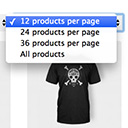
Products Per Page for WooCommerce is a easy-to-setup plugin that integrates a 'products per page' dropdown on your WooCommerce pages.

By Deutsche Post & DHL
Automate e-commerce orders with Official DHL for WooCommerce. Covers DHL Paket and Deutsche Post International.

By Heinrich Franz
Set your WooCommerce® shop to holiday mode. Schedule closures and keep customers informed automatically.

By algol.plus
Easy way to take a manual/phone order in WooCommerce

By FullStack-ing
Configure COD restrictions and extra fees for WooCommerce Classic Checkout and Cart & Checkout Blocks.
This Plugin enables WooCommerce shop owners to get direct and instant payments through UPI apps like BHIM, GooglePay, PhonePe or any banking UPI app.
CHOOSE WHAT YOUR WEBSITE NEEDS
Start with the task you need to solve. Compare features, WordPress and PHP requirements, update history and the author’s documentation. Test changes on a private copy and avoid adding several plugins for the same job.
This independent directory displays plugin information on WebFulHost and links to the official source. Packages are not mirrored or installed here. A plugin can include paid extensions or services with separate terms from its author.


