Webmention
By Matthias Pfefferle
Send and receive Webmentions in WordPress.
★ 5.0/5 (8)1,000+ active installations
- Version
- 5.11.0
- WordPress
- 6.2+
- PHP
- 7.4+
- Updated
- 21 Oct 2026
WORDPRESS RESOURCES
Explore public plugin information from the official WordPress.org directory. Compare what a plugin does, its requirements and update history before adding it to your website.
Explore WordPress hosting →1,923 matching plugins reported by WordPress.org · Page 13 of 50
Source: WordPress.org
Data refreshed 22 Nov 2026 12:51 UTC
By Matthias Pfefferle
Send and receive Webmentions in WordPress.
AI Bud an AI Content & Image Generation, AI ChatBot, ChatGPT, OpenAI, Perplexity, Gemini, GPT-4o, LLAMA, Mistral
Free WordPress accessibility widget to improve accessibility for your website visitors. Supports efforts towards meeting WCAG, ADA & EAA requirements.

The best BuddyPress plugin for building online communities, user profile, social networks, and membership sites on WordPress with tons of features.

By Ashish Ajani
Using Simple HTML Sitemap plugin, you can add HTML Sitemap anywhere on the website using Shortcode.

By bookingalgorithms
The really fast and powerful Booking engine for theme/site developers to create any booking or rental sites (tours, cars, events, apartments, yachts)

By Gemini Labs
Site Reviews is the best free reviews plugin. It integrates with WooCommerce & SureCart and works just like reviews on Amazon, Tripadvisor, and Yelp.

By CreativeMindsSolutions
Search and replace words, phrases, and HTML within your website posts and pages.
By Scott Reilly
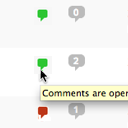
Conveniently close or open comments for a post or page with one click from the admin listing of posts.

By Hannes Etzelstorfer
All in one email template designer for WooCommerce, Ninja Forms, Elementor Forms, Gravity Forms, CF7, Support Plus, EDD, ...

By Justin Sternberg
CMB2 is a metabox, custom fields, and forms library for WordPress that will blow your mind.

By Gabe Livan
Speed up your WordPress site by unloading unnecessary CSS and JavaScript, reducing page bloat, and managing your own Critical CSS per page type.
CHOOSE WHAT YOUR WEBSITE NEEDS
Start with the task you need to solve. Compare features, WordPress and PHP requirements, update history and the author’s documentation. Test changes on a private copy and avoid adding several plugins for the same job.
This independent directory displays plugin information on WebFulHost and links to the official source. Packages are not mirrored or installed here. A plugin can include paid extensions or services with separate terms from its author.