

Command Palette Tools
By Kevin Batdorf
A collection of productivity tools for the WordPress Command Palette
0+ active installations
- Version
- 1.0.1
- WordPress
- 6.3+
- PHP
- 7.0+
- Updated
- 15 Aug 2026
WORDPRESS RESOURCES
Explore public plugin information from the official WordPress.org directory. Compare what a plugin does, its requirements and update history before adding it to your website.
Explore WordPress hosting →1,166 matching plugins reported by WordPress.org · Page 13 of 50
Source: WordPress.org
Data refreshed 24 Nov 2026 20:25 UTC
By Kevin Batdorf
A collection of productivity tools for the WordPress Command Palette
By Edel Hearts / Yabe
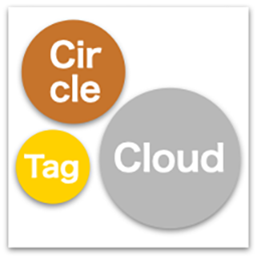
Displays taxonomy terms in a beautiful, highly packed circle (or rectangle) layout with customizable color palettes and motion effects.

By Plan Left
Contact Camo protects email addresses from scrapers and bots — now with a native Gutenberg block so you can build beautiful, protected contact experie …

By adrianifero
Brand your WordPress admin with your own colors, and curate dashboard widgets. Lightweight, no white-label bloat.

By Rob Art
A smarter WordPress colour picker with an eyedropper, colour harmonies, reusable swatches and image-to-palette tools. Pick colours with confidence.

By lukjak
Add visible, localized AI labels to your Media Library images, in the spirit of EU AI Act Article 50 transparency obligations.

By dyadikosnous
Shrinks complete media families transactionally, preserves attachment IDs, rewrites URLs, and audits unused images.

By Ethan Lin
Author beautiful math in the WordPress block editor with a WYSIWYG editor, symbol palette, matrix builder, and crisp rendering.

By Jael Meire
Easy light/dark mode for Astra with a toggle button and optional palette mapping to Astra Global Colors.

By ravid007
A word-grouping puzzle: find the four hidden groups of four words. Hebrew and English, RTL and LTR.

By PaletteAgency
A modern, multi-step form builder with drag & drop, live preview, RTL support, email & SMS notifications, and a fully localized admin interface.

By bPlugins
Create and display a Data Chart on your site within a few clicks. Easily visualize your data!
CHOOSE WHAT YOUR WEBSITE NEEDS
Start with the task you need to solve. Compare features, WordPress and PHP requirements, update history and the author’s documentation. Test changes on a private copy and avoid adding several plugins for the same job.
This independent directory displays plugin information on WebFulHost and links to the official source. Packages are not mirrored or installed here. A plugin can include paid extensions or services with separate terms from its author.