Add Google address autocomplete and local checkout address checks for WooCommerce, including missing house number, PO box, and parcel locker checks.
10+ active installations
- Version
- 1.0.2
- WordPress
- 6.5+
- PHP
- 7.4+
- Updated
- 14 Aug 2026
View plugin details ↗Accept payments easily and quickly with the Clover online Payment gateway by WeeConnectPay.
★ 5.0/5 (10)500+ active installations
- Version
- 4.15.2
- WordPress
- 5.6+
- PHP
- 7.4+
- Updated
- 3 Nov 2026
View plugin details ↗Easily Customize WooCommerce PDF invoices and comply with Factur-X, UBL, and other e-invoicing standards.
★ 5.0/5 (4)90+ active installations
- Version
- 0.5.0
- WordPress
- 5.0+
- PHP
- 8.3+
- Updated
- 24 Oct 2026
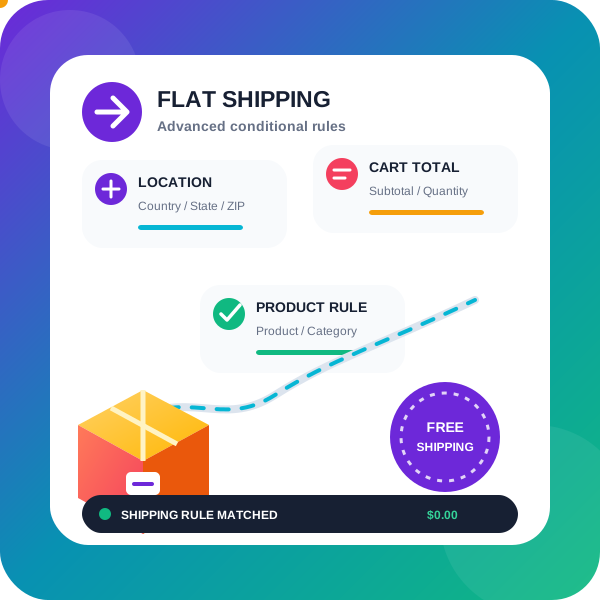
View plugin details ↗WooCommerce conditional shipping & WooCommerce Advanced shipping rates plugin to create Advanced Flat rate shipping or Free shipping method or tab …
★ 4.9/5 (58)2,000+ active installations
- Version
- 1.6.6.22
- WordPress
- 5.6+
- Updated
- 17 Nov 2026
View plugin details ↗Connect your WordPress site to All in Box: sync form submissions to your contacts, add push notifications and a chat bubble.
10+ active installations
- Version
- 1.10.0
- WordPress
- 5.3+
- PHP
- 7.2+
- Updated
- 20 Oct 2026
View plugin details ↗Same-day and next-day delivery by Trunkrs for your WooCommerce store: live rates, a delivery date picker, automatic announcements and labels.
0+ active installations
- Version
- 2.0.3
- WordPress
- 6.5+
- PHP
- 8.1+
- Updated
- 30 Oct 2026
View plugin details ↗TC SEO / Schema / Sitemap is a plugin that enhances your website’s SEO by adding google local business, SEO metadata, sitemap and optimizations.
40+ active installations
- Version
- 1.0.14
- WordPress
- 6.7+
- PHP
- 7.4+
- Updated
- 8 Oct 2026
View plugin details ↗Add HS, CN and TARIC codes to every WooCommerce product, checked against the official EU nomenclature. For Intrastat, myDATA, KSeF and customs.
0+ active installations
- Version
- 0.1.0
- WordPress
- 6.8+
- PHP
- 7.4+
- Updated
- 7 Nov 2026
View plugin details ↗Accept crypto payments via Binance Pay, Bybit Pay and KuCoin Pay on your WooCommerce store with a seamless QR checkout.
★ 5.0/5 (1)0+ active installations
- Version
- 1.3.4
- WordPress
- 6.5+
- PHP
- 7.4+
- Updated
- 5 Oct 2026
View plugin details ↗FedEx Shipping plugin for WooCommerce displays live FedEx shipping rates at cart / checkout pages.
20+ active installations
- Version
- 2.0.4
- WordPress
- 5.6+
- PHP
- 7.4+
- Updated
- 20 Oct 2026
View plugin details ↗Easily add dynamic Country, State, and City cascading dropdown fields to WPForms forms.
10+ active installations
- Version
- 1.1.0
- WordPress
- 5.5+
- PHP
- 7.2+
- Updated
- 31 Aug 2026
View plugin details ↗Discount woocommerce plugin / Bulk discounts for woocommerce / dynamic pricing rule like product discount, product category discounts etc..
★ 4.8/5 (5)100+ active installations
- Version
- 1.9.39.49
- WordPress
- 3.0.1+
- Updated
- 13 Nov 2026
View plugin details ↗