
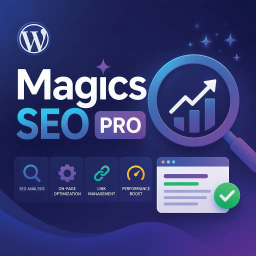
Magics SEO
By magicsdev
Next-Generation Lightweight WordPress SEO Suite.
0+ active installations
- Version
- 1.0.0
- WordPress
- 5.6+
- PHP
- 7.4+
- Updated
- 26 Aug 2026
WORDPRESS RESOURCES
Explore public plugin information from the official WordPress.org directory. Compare what a plugin does, its requirements and update history before adding it to your website.
Explore WordPress hosting →641 matching plugins reported by WordPress.org · Page 16 of 50
Source: WordPress.org
Data refreshed 27 Nov 2026 23:02 UTC
By magicsdev
Next-Generation Lightweight WordPress SEO Suite.
SaddleWP is the MCP server for WordPress. Claude, ChatGPT or Cursor build pages, fix SEO and run updates on your site. Read-only until you allow more.

By sh1zen
WordPress SEO plugin with meta tags, schema markup, XML sitemap, redirects, 404 monitor, SEO audit and breadcrumbs.

By clickwebstudio
Complete SEO toolkit: meta titles and descriptions, XML sitemap, robots.txt, schema and IndexNow. AI generation and redirects in Premium.

By BRAJABANDHU MAHANTA
Complete SEO with a premium table of contents, Google-friendly sitemaps, IndexNow, schema, redirects and one-click migration from Rank Math.

By sorank
Connect WordPress to Sorank and publish SEO-optimized AI articles with images, metadata, categories, drafts, and scheduled workflows.

By Mozi
Fast, lightweight SEO: meta tags, social cards, schema, XML sitemaps and content analysis on dedicated database tables.

By ranknodeseo
Comprehensive SEO analysis, fast indexing, AI content tools, and stock image management for WordPress.

By ginmaster
Fast, clean SEO for WordPress. Meta tags, sitemaps, broken links, image audits and Lighthouse scores — no bloat, no noise.

By bytenovo
SEO plugin with schema markup, sitemaps, redirects, content analysis, image SEO, link assistant, and more.

By Bipin Khatri
Simple, fast SEO from one screen: titles, meta descriptions, social images, canonical URLs, noindex, sitemaps, robots.txt, llms.txt and schema.

By Rankvn1988
Lightweight technical SEO for WordPress: JSON-LD schema, XML sitemaps, meta tags, Open Graph & image SEO. Runs locally, no tracking by default.
CHOOSE WHAT YOUR WEBSITE NEEDS
Start with the task you need to solve. Compare features, WordPress and PHP requirements, update history and the author’s documentation. Test changes on a private copy and avoid adding several plugins for the same job.
This independent directory displays plugin information on WebFulHost and links to the official source. Packages are not mirrored or installed here. A plugin can include paid extensions or services with separate terms from its author.
