

Display WordPress posts in beautiful grid, list, slider, and filter layouts. Works with Gutenberg, Elementor, Divi, and Shortcodes.
★ 4.8/5 (265)100,000+ active installations
- Version
- 7.9.11
- WordPress
- 4.5+
- PHP
- 7.4+
- Updated
- 11 Nov 2026
WORDPRESS RESOURCES
Explore public plugin information from the official WordPress.org directory. Compare what a plugin does, its requirements and update history before adding it to your website.
Explore WordPress hosting →10,000 matching plugins reported by WordPress.org · Page 16 of 50
Source: WordPress.org
Data refreshed 23 Nov 2026 23:20 UTC
Display WordPress posts in beautiful grid, list, slider, and filter layouts. Works with Gutenberg, Elementor, Divi, and Shortcodes.
MCP server for WordPress. Connect Claude, ChatGPT, Cursor or any MCP client to manage content, themes and settings, with approvals.

By WBW Plugins
Free WooCommerce filter: fast on 100,000 products, any theme or builder, right on phones, found by Google and AI answers. One click setup.

By Yannick Lefebvre
The purpose of this plugin is to add the ability to output a list of link categories and a complete list of links with notes and descriptions.
By SunCart
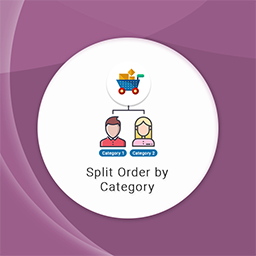
"Split order by Category for Woocommerce" allows splitting an order into separate orders based on category.

By Kerfred
A plugin to migrate categories, posts, tags, images and other medias from Joomla to WordPress

By ShapedPlugin LLC
Latest posts widget to display recent posts from category.

By Premmerce
Premmerce Permalink Manager for WooCommerce allows you to change WooCommerce permalink and remove product and product_category slugs from the URL.

By Plugin Devs
Blog, Posts and Category Filter for Elementor lets you filter your Blog posts with Category. You can now display more posts to your users.

By WP User Manager
Completely remove unwanted Archive Pages from your Blog

Set minimum and maximum order quantities or amounts for individual products, categories, or globally, with quantity-step control for WooCommerce store …

By Devin Price
This plugin registers a custom post type for portfolio items. It also registers separate portfolio taxonomies for tags and categories.
CHOOSE WHAT YOUR WEBSITE NEEDS
Start with the task you need to solve. Compare features, WordPress and PHP requirements, update history and the author’s documentation. Test changes on a private copy and avoid adding several plugins for the same job.
This independent directory displays plugin information on WebFulHost and links to the official source. Packages are not mirrored or installed here. A plugin can include paid extensions or services with separate terms from its author.
