A food ordering plugin for restaurants and food trucks with online menus, customizable dishes, Stripe payments, and order management.
★ 5.0/5 (1)0+ active installations
- Version
- 2.3.1
- WordPress
- 6.0+
- PHP
- 7.4+
- Updated
- 15 Oct 2026
View plugin details ↗Add color-coded tags to WooCommerce orders to organize workflows, highlight priorities, and improve order management.
0+ active installations
- Version
- 1.0.5
- WordPress
- 6.0+
- Updated
- 11 Sep 2026
View plugin details ↗Accept card payments in WooCommerce through the Up2pay e-Transactions hosted payment page (Paybox System protocol).
0+ active installations
- Version
- 0.1.0
- WordPress
- 7.0+
- PHP
- 8.1+
- Updated
- 27 Oct 2026
View plugin details ↗Real-time LTL freight quotes from XPO Logistics. Fifteen day free trial.
40+ active installations
- Version
- 4.3.22
- WordPress
- 6.4+
- Updated
- 9 Nov 2026
View plugin details ↗Two-way sync between WooCommerce orders and the RiderX delivery platform, including live delivery rate quotes at checkout.
0+ active installations
- Version
- 1.0.63
- WordPress
- 6.5+
- PHP
- 7.4+
- Updated
- 16 Oct 2026
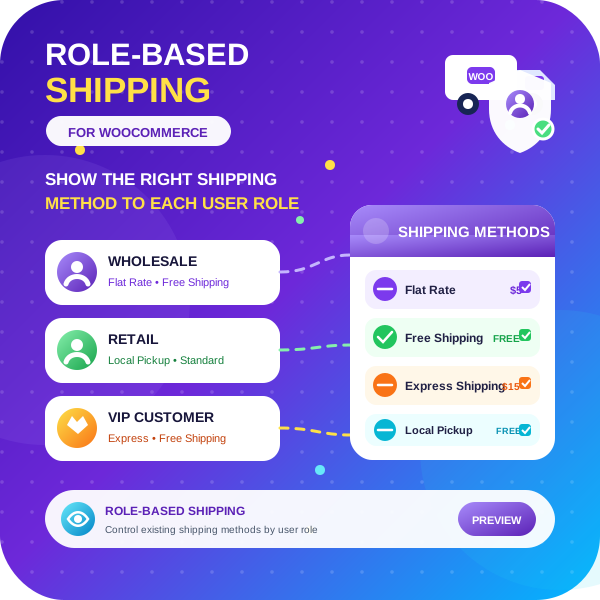
View plugin details ↗Role Based Shipping for WooCommerce plugin allows you to set up shipping methods based on user roles in your WooCommerce store.
0+ active installations
- Version
- 1.7
- WordPress
- 6.0+
- Updated
- 5 Nov 2026
View plugin details ↗Connect WooCommerce to Delivery Gateway for checkout delivery selection, shipment creation, bulk fulfillment, and status automation.
0+ active installations
- Version
- 0.2.2
- WordPress
- 6.8+
- PHP
- 8.2+
- Updated
- 30 Oct 2026
View plugin details ↗Taxi and cab booking for WordPress: outstation one-way and round trips, airport transfers, hourly rentals, online payment, drivers and SEO city pages.
0+ active installations
- Version
- 1.9
- WordPress
- 5.0+
- PHP
- 7.4+
- Updated
- 21 Nov 2026
View plugin details ↗A lightweight bike rental plugin with a modern booking form, instant catalog view, and daily or hourly bookings.
★ 5.0/5 (3)10+ active installations
- Version
- 1.2.4
- WordPress
- 5.8+
- PHP
- 7.4+
- Updated
- 7 Aug 2026
View plugin details ↗A lightweight restaurant ordering system with editable menus, pickup orders and a browser-based order terminal.
0+ active installations
- Version
- 1.0.0
- WordPress
- 6.4+
- PHP
- 7.4+
- Updated
- 19 Sep 2026
View plugin details ↗WooCommerce integration with City Express Pickup Point and Home Delivery shipping services.
0+ active installations
- Version
- 1.0.0
- WordPress
- 5.0+
- PHP
- 7.4+
- Updated
- 14 Apr 2026
View plugin details ↗A Taiwan e-commerce toolkit for WooCommerce. Bundles Taiwanese payment, shipping and e-invoice integrations.
★ 5.0/5 (1)10+ active installations
- Version
- 1.26.0
- WordPress
- 7.0+
- PHP
- 8.2+
- Updated
- 20 Nov 2026
View plugin details ↗