Boost WooCommerce sales with the Rearrange Products for WooCommerce plugin. Easily reorder products with a simple drag-and-drop tool!
★ 4.6/5 (58)20,000+ active installations
- Version
- 6.1.0
- WordPress
- 6.6+
- PHP
- 7.4.0+
- Updated
- 29 Oct 2026
View plugin details ↗Show WooCommerce product categories and subcategories as an accessible expand/collapse accordion with a block, shortcode or widget.
100+ active installations
- Version
- 2.0.0
- WordPress
- 5.8+
- PHP
- 7.4+
- Updated
- 10 Nov 2026
View plugin details ↗BMI calculator for adults and children, with age and sex based results for kids. Add it with a block or a shortcode.
★ 5.0/5 (2)600+ active installations
- Version
- 1.3.0
- WordPress
- 5.5+
- PHP
- 5.6+
- Updated
- 27 Oct 2026
View plugin details ↗Get multi-functional buttons
★ 5.0/5 (7)5,000+ active installations
- Version
- 1.2.9
- WordPress
- 6.5+
- PHP
- 7.4+
- Updated
- 17 Nov 2026
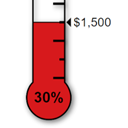
View plugin details ↗Displays a fully customisable thermometer for tracking donations or any other goal.
★ 4.4/5 (12)2,000+ active installations
- Version
- 2.3.0
- WordPress
- 5.0.3+
- PHP
- 7.0+
- Updated
- 7 Oct 2026
View plugin details ↗Display Google Business Profile reviews in a fast slider, carousel, or grid with a summary badge. Stored locally; works with service area businesses.
★ 4.9/5 (373)30,000+ active installations
- Version
- 18.13
- WordPress
- 3.0.1+
- Updated
- 23 Nov 2026
View plugin details ↗Display random content anywhere on your WordPress site. Rotate testimonials, banners, CTAs, and more with a simple shortcode or widget.
★ 4.8/5 (35)3,000+ active installations
- Version
- 1.6.5
- WordPress
- 5.0.1+
- Updated
- 23 Mar 2026
View plugin details ↗The most installed WordPress plugin for WhatsApp: a customizable floating button that turns your visitors into chats, leads and sales.
★ 4.7/5 (188)700,000+ active installations
- Version
- 6.4.4
- WordPress
- 5.9+
- PHP
- 7.4+
- Updated
- 16 Nov 2026
View plugin details ↗Connect Claude, ChatGPT or any AI app to WordPress. Drafts only mode, access levels per app and a 72-hour undo. 400+ tools, self-hosted.
★ 5.0/5 (7)10,000+ active installations
- Version
- 2.0.1
- WordPress
- 5.8+
- PHP
- 7.4+
- Updated
- 23 Nov 2026
View plugin details ↗QODE Quick View for WooCommerce helps you boost conversions & sales by providing visitors with handy pop-up product previews on product list pages.
★ 5.0/5 (1)10,000+ active installations
- Version
- 1.1.2
- WordPress
- 6.3+
- PHP
- 7.4+
- Updated
- 16 Nov 2026
View plugin details ↗Automatically redirect 404 errors to the right page using a 7-engine matching pipeline and spell-checking algorithm. Zero configuration required.
★ 4.9/5 (45)10,000+ active installations
- Version
- 4.4.2
- WordPress
- 5.0+
- PHP
- 7.4+
- Updated
- 19 Nov 2026
View plugin details ↗Display WordPress child pages in a responsive grid or list using a shortcode, Gutenberg block or Elementor widget.
★ 4.9/5 (49)9,000+ active installations
- Version
- 2.1.2
- WordPress
- 6.7+
- PHP
- 7.4+
- Updated
- 2 Jun 2026
View plugin details ↗