

Restrict WooCommerce products by country using geolocation. Hide them, block the purchase or show your own message — per product or variation.
★ 4.5/5 (52)5,000+ active installations
- Version
- 3.8.3
- WordPress
- 5.3+
- PHP
- 7.0+
- Updated
- 21 Nov 2026
WORDPRESS RESOURCES
Explore public plugin information from the official WordPress.org directory. Compare what a plugin does, its requirements and update history before adding it to your website.
Explore WordPress hosting →1,106 matching plugins reported by WordPress.org · Page 17 of 50
Source: WordPress.org
Data refreshed 25 Nov 2026 11:11 UTC
Restrict WooCommerce products by country using geolocation. Hide them, block the purchase or show your own message — per product or variation.

By Jiro Sasamoto
Convenient cloud-based localization and translation for WordPress.

By Ilja Becker
Free all-in-one toolkit: content folders, duplicate posts, custom login URL, maintenance mode, media replace, classic editor & Elementor extensions.
The #1 secure WordPress MCP server for connecting Claude, ChatGPT, & AI agents (MCP Clients) with 400+ tools for WooCommerce, SEO, Elementor, audi …

Get a fast contact form plugin. Create advanced forms using drag and drop form builder with all smart features.

By Mykola Lukin
Sell in multiple currencies — automatic exchange rates, geolocation detection, per-currency price rules and a customizable storefront switcher.

By WPManageNinja
eCommerce plugin for online stores, subscriptions, digital downloads & software licensing. Including checkout, payments, tax, and zero commissions.

Boost site speed and performance with an all-in-one cache and speed optimization plugin. Pass Core Web Vitals with CDN, image optimization, lazy loadi …
Accept donations and begin fundraising with GiveWP, the highest rated WordPress donation plugin for online giving.
By Zeki Can
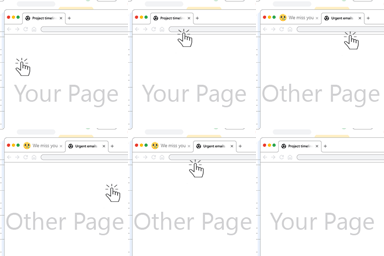
Changes the browser tab title and favicon when users leave the page, and restores them on return. Lightweight, fast, and attention-boosting.

By Tabnav
Fix accessibility issues and keep your site accessible with tabnav’s AI-powered accessibility service.
WooCommerce product and category sliders with a no-crop mode that shapes each frame to its photo. Gutenberg block, Elementor widget and shortcode.
CHOOSE WHAT YOUR WEBSITE NEEDS
Start with the task you need to solve. Compare features, WordPress and PHP requirements, update history and the author’s documentation. Test changes on a private copy and avoid adding several plugins for the same job.
This independent directory displays plugin information on WebFulHost and links to the official source. Packages are not mirrored or installed here. A plugin can include paid extensions or services with separate terms from its author.


