Modal builder block. Create popup/modal easily.
100+ active installations
- Version
- 1.4.1
- WordPress
- 6.5+
- PHP
- 7.1+
- Updated
- 17 Nov 2026
WORDPRESS RESOURCES
Explore public plugin information from the official WordPress.org directory. Compare what a plugin does, its requirements and update history before adding it to your website.
Explore WordPress hosting →5,710 matching plugins reported by WordPress.org · Page 18 of 50
Source: WordPress.org
Data refreshed 24 Nov 2026 14:17 UTC
Modal builder block. Create popup/modal easily.

By Addonify
Addonify Floating Cart is a free WooCommerce addon that adds a sticky, interactive cart, letting visitors manage items without visiting the cart page.
UiCore Animate adds page transitions, smooth scroll, and engaging animations to Elementor and Gutenberg blocks, for smoother, engaging experiences.
Events calendar plugin for event registration, event tickets, bookings, RSVP, recurring and virtual events with WooCommerce and Zoom (AI-powered).
Generate WooCommerce product feeds for 200+ marketplaces. Sell on Google Shopping, Facebook, Instagram, Amazon, eBay, TikTok and more.
By add-ons.org
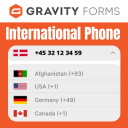
The plugin helps you in creating a country drop-down list with country flag.
Automate WooCommerce WhatsApp notifications with the official WhatsApp Cloud API. Recover carts, verify COD orders, send broadcasts with Notiqoo Pro.

By Cognito Forms
Create responsive contact forms, order forms, registration forms and more. With PCI, CCPA, and HIPAA compliance.
Use AI to build popups, flyouts, and announcement bars that match your brand. Free popup templates, triggers, targeting rules, and lead capture.
Floating Social Media Icons, Sticky Share Buttons, Facebook Feeds, & Popup builder. Also, create Call, Email, SMS, & Contact buttons to increa …

By otacke
Provides you with a potential workaround for H5P content that won't show in tabs, accordions, lightboxes, etc.

By ismeteroglu
WhatsApp click-to-chat, click-to-call & floating contact button. Sticky bar on mobile, FAB on desktop, click analytics, WooCommerce ready.
CHOOSE WHAT YOUR WEBSITE NEEDS
Start with the task you need to solve. Compare features, WordPress and PHP requirements, update history and the author’s documentation. Test changes on a private copy and avoid adding several plugins for the same job.
This independent directory displays plugin information on WebFulHost and links to the official source. Packages are not mirrored or installed here. A plugin can include paid extensions or services with separate terms from its author.