Track The Click
By tracktheclick
Track how many clicks your links get.
★ 4.7/5 (18)7,000+ active installations
- Version
- 0.4.2
- PHP
- 7.0+
- Updated
- 17 Nov 2026
WORDPRESS RESOURCES
Explore public plugin information from the official WordPress.org directory. Compare what a plugin does, its requirements and update history before adding it to your website.
Explore WordPress hosting →5,262 matching plugins reported by WordPress.org · Page 19 of 50
Source: WordPress.org
Data refreshed 21 Nov 2026 00:18 UTC
By tracktheclick
Track how many clicks your links get.

By Andrea Ferro
Best all-in-one WordPress security plugin, uses HTTP & HSTS response headers to avoid vulnerabilities: XSS, injection, clickjacking. Force HTTP/HTTPS.

By wetracked.io
Stop wasting 60% of ad spend. Get 100% accurate WooCommerce tracking that beats iOS 14.5+ and ad blockers, recovers lost conversions, and scales fast.

By WP Folio Team
Password protect WordPress pages and posts by user roles or with multiple passwords; protect your entire website with a single password.
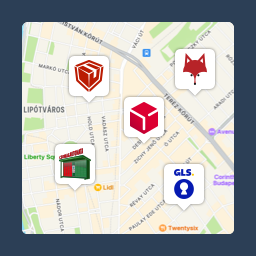
Pickup point map and shipping labels for WooCommerce, for home delivery too. MPL, Foxpost, GLS, DPD, Express One, Packeta and more.

By Kwanko
Simply install and configure your Kwanko tracking.
By davidevalerio
Stores custom consent records triggered by Complianz events with compliance tracking and auditing capabilities.

By MonarchWP
Easily set a default post author for new posts, pages and custom post types. Capability-aware, bulk update and WP-CLI support.

By Gabe Livan
Speed up your WordPress site by unloading unnecessary CSS and JavaScript, reducing page bloat, and managing your own Critical CSS per page type.

By Eduard Doloc
Official WooCommerce integration for DATA Reshape: first-party ecommerce event tracking, delivered from your own subdomain.

Ease Project Management and Task Management using a powerful project manager with Kanban board, Gantt chart, milestone tracking & project reporting.
Create high-converting WooCommerce checkout pages, thank you pages & sales funnels with the highest-rated WordPress funnel builder.
CHOOSE WHAT YOUR WEBSITE NEEDS
Start with the task you need to solve. Compare features, WordPress and PHP requirements, update history and the author’s documentation. Test changes on a private copy and avoid adding several plugins for the same job.
This independent directory displays plugin information on WebFulHost and links to the official source. Packages are not mirrored or installed here. A plugin can include paid extensions or services with separate terms from its author.