AI-powered SEO and accessibility auditing. Scan, fix, and optimize your WordPress content automatically with OpenAI or Claude AI.
★ 5.0/5 (1)50+ active installations
- Version
- 1.5.6
- WordPress
- 6.0+
- PHP
- 7.4+
- Updated
- 8 Apr 2026
WORDPRESS RESOURCES
Explore public plugin information from the official WordPress.org directory. Compare what a plugin does, its requirements and update history before adding it to your website.
Explore WordPress hosting →10,000 matching plugins reported by WordPress.org · Page 19 of 50
Source: WordPress.org
Data refreshed 22 Nov 2026 13:21 UTC
AI-powered SEO and accessibility auditing. Scan, fix, and optimize your WordPress content automatically with OpenAI or Claude AI.

By NsThemes
Add a smooth, fully customizable back to top button to your WordPress site — position, colors, icon and scroll speed, no code required.

By Blobfolio
An extensible tool for recording WordPress events to a system log.

By 5 Star Plugins (Rob)
Build perfect popups in minutes. Modern, responsive templates and simple setup. Age verify compatible option.

By ELEXtensions
The Ultimate WooCommerce Australia Post Shipping Plugin from Team ELEXtensions. The plugin integrates Australia Post APIs with WooCommerce.
Connect Claude, ChatGPT, Gemini, Cursor & any AI agent to your site. Free, secure WordPress MCP server (Model Context Protocol). Undo any change.
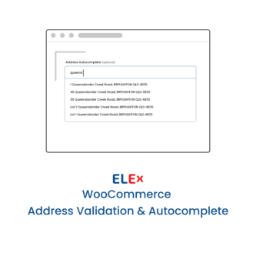
Simple and easy to use address validation & google address autocomplete plugin. Uses EasyPost, UPS, USPS, AddressFinder & Google APIs.

By David
Stop WooCommerce draft orders from cluttering your store, and clean up the ones already there. HPOS-ready. No setup required.

By Alexander Kovalev
Free AI engine for WordPress: generate content, ALT text, and SEO metadata with AI. Magic Wand inline editing in Gutenberg.

By fullworks
Block spam on Contact Form 7, WPForms & comments. No API key. GDPR compliant. Free for commercial use. No configuration needed.

By WPDeveloper
Free WordPress security audit with 30 hardening fixes you can undo, 2FA, passkeys, login protection, an activity log and file integrity checks.

By Plerdy
See in WordPress what happened on your site today and yesterday: orders, errors, lost clicks, recordings and what to fix first.
CHOOSE WHAT YOUR WEBSITE NEEDS
Start with the task you need to solve. Compare features, WordPress and PHP requirements, update history and the author’s documentation. Test changes on a private copy and avoid adding several plugins for the same job.
This independent directory displays plugin information on WebFulHost and links to the official source. Packages are not mirrored or installed here. A plugin can include paid extensions or services with separate terms from its author.