Make entire columns, sections and containers clickable in Elementor, with real SEO-friendly links, keyboard access and click tracking.
★ 4.9/5 (53)100,000+ active installations
- Version
- 1.7.3
- WordPress
- 5.0+
- PHP
- 7.4+
- Updated
- 26 Oct 2026
View plugin details ↗Add a country code dropdown with flags to Elementor form phone field for valid international numbers. Also works with Hello Plus form widget.
★ 5.0/5 (8)10,000+ active installations
- Version
- 1.7.4
- WordPress
- 5.0+
- PHP
- 7.2+
- Updated
- 4 Sep 2026
View plugin details ↗HappyAddons packs Header Footer Builder, Megamenu, Single Post, Archive Page, & 500+ Ready Templates into one powerful Elementor Addons plugin.
★ 4.8/5 (489)400,000+ active installations
- Version
- 3.52.0
- WordPress
- 6.8+
- PHP
- 8.1+
- Updated
- 18 Nov 2026
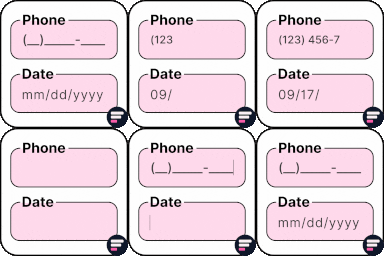
View plugin details ↗Apply input masks in Elementor form widget fields - phone, date, time, credit card, CPF, CNPJ, CEP & more for valid and error-free entries.
★ 4.5/5 (24)10,000+ active installations
- Version
- 4.4.5
- WordPress
- 5.0+
- PHP
- 7.2+
- Updated
- 1 Sep 2026
View plugin details ↗Build global Elementor templates and apply them as automatic post and page layouts, or embed them anywhere with a shortcode.
★ 4.8/5 (104)70,000+ active installations
- Version
- 1.3.1
- WordPress
- 5.0+
- PHP
- 7.4+
- Updated
- 2 Nov 2026
View plugin details ↗Add conditional fields to Elementor forms and apply if-else conditional logic to show or hide Elementor form widget fields via dynamic rules.
★ 4.7/5 (32)10,000+ active installations
- Version
- 1.7.8
- WordPress
- 5.0+
- PHP
- 7.2+
- Updated
- 16 Nov 2026
View plugin details ↗Display Conditions for Elementor: show or hide widgets and sections by user role, ACF fields, device type, date & time, browser and more.
★ 4.8/5 (58)20,000+ active installations
- Version
- 2.5.3
- WordPress
- 5.0+
- PHP
- 7.4+
- Updated
- 16 Nov 2026
View plugin details ↗WordPress contact form builder to create forms like contact form, booking form, feedback form, survey form, application form & 44+ form templates.
★ 4.7/5 (510)500,000+ active installations
- Version
- 4.3.5
- WordPress
- 6.0+
- PHP
- 7.4+
- Updated
- 17 Nov 2026
View plugin details ↗A collection of advanced features including Header & Footer Builder, Theme Builder, Popup Builder, 58 elements, 100+ free templates and more.
★ 4.9/5 (35)40,000+ active installations
- Version
- 3.10.5
- WordPress
- 4.8+
- PHP
- 7.0+
- Updated
- 20 Nov 2026
View plugin details ↗Highlight your company’s history, milestones, and key events directly inside Elementor using stunning vertical and horizontal timelines.
★ 4.8/5 (248)70,000+ active installations
- Version
- 1.7.4
- WordPress
- 5.0+
- PHP
- 7.2+
- Updated
- 18 Nov 2026
View plugin details ↗Monitor every change on your WordPress site — who did what, when, and where it came from — for a complete audit trail and stronger security.
★ 4.3/5 (74)200,000+ active installations
- Version
- 2.18.0
- WordPress
- 6.2+
- PHP
- 7.4+
- Updated
- 28 Oct 2026
View plugin details ↗Show or hide Elementor widgets, containers, columns, and pages based on user role, date, device, and many other powerful conditions.
★ 4.6/5 (89)50,000+ active installations
- Version
- 6.0.7
- WordPress
- 5.2+
- PHP
- 7.1+
- Updated
- 19 Oct 2026
View plugin details ↗