

3D flipbook and PDF viewer for WordPress. Turn any PDF into an interactive page-flip book you can embed, search, and share.
★ 5.0/5 (2)400+ active installations
- Version
- 1.3.1
- WordPress
- 5.8+
- PHP
- 7.4+
- Updated
- 20 Nov 2026
WORDPRESS RESOURCES
Explore public plugin information from the official WordPress.org directory. Compare what a plugin does, its requirements and update history before adding it to your website.
Explore WordPress hosting →60 matching plugins reported by WordPress.org · Page 2 of 5
Source: WordPress.org
Data refreshed 26 Nov 2026 20:40 UTC
3D flipbook and PDF viewer for WordPress. Turn any PDF into an interactive page-flip book you can embed, search, and share.
Empower your site with interactive visuals! Our plugin seamlessly transforms static images into engaging media, enabling publishers and bloggers.

By WP Travel Engine
WP Travel Engine is the most popular tour and travel booking WordPress plugin. Used by over 20,000 travel agency websites.
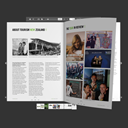
By getflowpaper
Embed your PDFs with ease. All you need : [flipbook pdf="https://flowpaper.com/example.pdf"]

By eMagicOne
Store Manager Connector is used to connect Store Manager to WooCommerce database in convenient and quick way.

By Al Amin
Preview PDFs, Word, Excel, and PowerPoint files directly on WooCommerce product pages.

By codersuraz
Embed PDFs as a realistic 3D flipbook, page slider or scroll reader. A fast PDF viewer and PDF library for Gutenberg, Elementor and shortcodes.

By Suresh Dindorkar
Add downloadable product brochure buttons to WooCommerce products.
Web-to-print product designer for WooCommerce — let customers customize products and generate print-ready PDF/CMYK files, with AI & B2B tools.
Turn off WordPress features you don't use: XML-RPC, Heartbeat, emojis, comments and more. Every switch says what it might break.

By VillaTheme
Build stunning real estate websites with REES - Real Estate for WooCommerce. Property templates, Google Maps, virtual tours & more!
Turn any PDF or set of images into a page-turning flipbook with a block editor block. Two-page spreads on desktop, one page on phones.
CHOOSE WHAT YOUR WEBSITE NEEDS
Start with the task you need to solve. Compare features, WordPress and PHP requirements, update history and the author’s documentation. Test changes on a private copy and avoid adding several plugins for the same job.
This independent directory displays plugin information on WebFulHost and links to the official source. Packages are not mirrored or installed here. A plugin can include paid extensions or services with separate terms from its author.



