WordPress OAuth SSO (Single Sign On) with Azure, Okta, Cognito, Keycloak, OAuth & OpenID Providers. Free Unlimited SSO Authentication [24/7 Support]
★ 4.9/5 (327)6,000+ active installations
- Version
- 7.1.5
- WordPress
- 5.9+
- PHP
- 7.0+
- Updated
- 13 Nov 2026
View plugin details ↗Mammoth converts semantically marked up .docx documents to simple and clean HTML, allowing pasting from Word and Google Docs without the usual mess.
★ 4.8/5 (62)20,000+ active installations
- Version
- 1.22.0
- WordPress
- 4.0+
- Updated
- 12 Mar 2026
View plugin details ↗Free map plugin: unlimited maps and markers, no API key, no cookies from MapPress. Google Maps, OpenStreetMap & Mapbox. Map blocks, store locators.
★ 4.7/5 (147)30,000+ active installations
- Version
- 2.98
- WordPress
- 6.3+
- PHP
- 7.0+
- Updated
- 21 Nov 2026
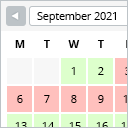
View plugin details ↗This booking calendar shows when something is booked or available. Use it to show when your holiday home is available for rent, for example.
★ 4.8/5 (227)10,000+ active installations
- Version
- 2.0.16
- WordPress
- 4.7+
- PHP
- 5.6+
- Updated
- 29 Jun 2026
View plugin details ↗Chat with your website visitors in real-time for free! Engage with your customers and increase sales.
★ 4.6/5 (820)100,000+ active installations
- Version
- 10.0.19
- WordPress
- 5.3+
- PHP
- 5.4+
- Updated
- 20 Oct 2026
View plugin details ↗Elementor addons with 18+ free widgets, Header & Footer Builder, WooCommerce widgets & templates. Trusted by 2+ million websites.
★ 4.9/5 (2,529)2,000,000+ active installations
- Version
- 2.9.8
- WordPress
- 5.0+
- PHP
- 7.4+
- Updated
- 17 Nov 2026
View plugin details ↗
By Room 34 Creative Services, LLC
Add the calendar you already use to any WordPress site! Google Calendar, Microsoft 365, iCloud and more… no API keys or complicated setup required.
★ 4.9/5 (72)10,000+ active installations
- Version
- 12.3.0
- WordPress
- 5.3+
- PHP
- 8.1+
- Updated
- 29 Oct 2026
View plugin details ↗Embed PDF, Word, Excel & PowerPoint in WordPress. PDF viewer, 3D flipbook and document library with Gutenberg block & Elementor widget.
★ 4.9/5 (120)9,000+ active installations
- Version
- 2.5.2
- WordPress
- 6.5+
- PHP
- 7.1+
- Updated
- 17 Nov 2026
View plugin details ↗EmbedPress lets you embed videos, pages, social feeds, embed PDF 3D flipbooks & other content on WordPress without coding & enhance storytelling.
★ 4.8/5 (308)100,000+ active installations
- Version
- 4.7.3
- WordPress
- 6.2+
- PHP
- 5.6+
- Updated
- 16 Nov 2026
View plugin details ↗Get clients to quickly book a meeting with you by Zoom, GoogleMeet, phone or at your office
★ 4.7/5 (50)1,000+ active installations
- Version
- 2.7.7
- WordPress
- 5.5+
- PHP
- 7.4+
- Updated
- 24 May 2026
View plugin details ↗Create interactive vector maps of the world, continents, any country in the world and specific regions, including individual US state county maps.
★ 4.4/5 (65)30,000+ active installations
- Version
- 1.6.30
- WordPress
- 5.0+
- PHP
- 7.4+
- Updated
- 7 Aug 2026
View plugin details ↗Extends WooCommerce with most commonly used Estonian shipping methods. All in one.
★ 3.9/5 (7)1,000+ active installations
- Version
- 1.13.0
- WordPress
- 6.0+
- PHP
- 7.4+
- Updated
- 9 Sep 2026
View plugin details ↗