

Qi Blocks
By Qode
Qi Blocks is the largest collection of Gutenberg blocks developed by Qode Interactive.
★ 5.0/5 (5)60,000+ active installations
- Version
- 1.5.4
- WordPress
- 6.3+
- PHP
- 7.4+
- Updated
- 22 Oct 2026
WORDPRESS RESOURCES
Explore public plugin information from the official WordPress.org directory. Compare what a plugin does, its requirements and update history before adding it to your website.
Explore WordPress hosting →117 matching plugins reported by WordPress.org · Page 2 of 10
Source: WordPress.org
Data refreshed 19 Nov 2026 06:08 UTC
By Qode
Qi Blocks is the largest collection of Gutenberg blocks developed by Qode Interactive.
Add Parallax scrolling effects in any section of your website.
Swap the boring default pointer for a stylish custom cursor — dot, ring or both. Full color control, live preview, zero code.

By howdytheme
Add helpful, customizable tooltips to any Contact Form 7 field using a simple shortcode. Set colors, icons, width, arrow, and offset — all from a dedi …

By Tabnav
Fix accessibility issues and keep your site accessible with tabnav’s AI-powered accessibility service.

By FaeCursor
Bring your WordPress site to life with interactive cursor, keyboard, and screen effects — built for smooth performance and full control.

WP Before After Image & Video Slider for WordPress - Create Stunning Interactive Comparisons in Minutes. Lightweight, Responsive, No Coding Needed.

By Pär Thernström
See every page as a drag-and-drop tree. Reorder your site structure in seconds — then edit, add and search right there.

By IdeaBox Creations
40+ free Elementor widgets plus extensions: form stylers for Contact Form 7, WPForms and Gravity Forms, Instagram feed, display conditions, templates.

By performxagency
An ultra-lightweight, high-performance animated custom cursor plugin for WordPress.

aBlocks is a Gutenberg-based website builder with 100+ free flexible blocks and powerful form solutions, allowing you to build any type of form!
By Marcus (aka @msykes)
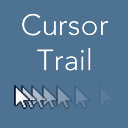
Add a cursor trail to your website mouse pointer, with custom pointer image, speed/interval adjustment and scheduling.
CHOOSE WHAT YOUR WEBSITE NEEDS
Start with the task you need to solve. Compare features, WordPress and PHP requirements, update history and the author’s documentation. Test changes on a private copy and avoid adding several plugins for the same job.
This independent directory displays plugin information on WebFulHost and links to the official source. Packages are not mirrored or installed here. A plugin can include paid extensions or services with separate terms from its author.

