

Appointment booking system for WordPress — schedule appointments, manage calendars, send reminders, take payments. Start booking today!
★ 4.4/5 (587)60,000+ active installations
- Version
- 28.9
- WordPress
- 3.7+
- PHP
- 5.3.7+
- Updated
- 24 Nov 2026
WORDPRESS RESOURCES
Explore public plugin information from the official WordPress.org directory. Compare what a plugin does, its requirements and update history before adding it to your website.
Explore WordPress hosting →603 matching plugins reported by WordPress.org · Page 2 of 50
Source: WordPress.org
Data refreshed 25 Nov 2026 04:08 UTC
Appointment booking system for WordPress — schedule appointments, manage calendars, send reminders, take payments. Start booking today!
Create unlimited urgency and scarcity countdown timers for WordPress and WooCommerce to boost conversions and sales instantly.
AI Events Calendar plugin for creating free or paid events. Supports Event Types, Bookings, Tickets, Venues, Performers, AI abilities, and a lot more.
Appointment booking built only for salons, barbershops and spas. Set it up in minutes by chatting with the AI assistant.

By Sourabh Agrawal
Clean your WordPress dashboard. Hide annoying admin notices, theme ads, and update alerts for your clients worldwide. Light, fast, and multi-site read …

By bestwebsoft
Protect WordPress website forms from spam entries with Google reCAPTCHA.
Run updates, backups, security and reporting across all client sites from your own server. Keep data private and prove your value with branded reports …

By Gemini Labs
Site Reviews is the best free reviews plugin. It integrates with WooCommerce & SureCart and works just like reviews on Amazon, Tripadvisor, and Yelp.
By Web Builder 143
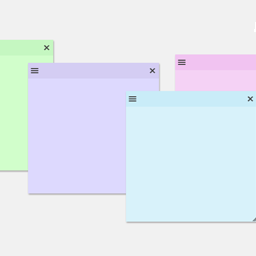
Create sticky notes in your WP admin for reminders and to-dos. Restrict notes by user roles and disable them on specific pages.

By Franky
Manage and display (recurring) events, memberships, locations and maps, volunteers, widgets, RSVP, ICAL and RSS feeds, payment gateways. SEO ready.

By Vinny
Simple but powerful embedding for Calendly.

By Gabe Livan
Speed up your WordPress site by unloading unnecessary CSS and JavaScript, reducing page bloat, and managing your own Critical CSS per page type.
CHOOSE WHAT YOUR WEBSITE NEEDS
Start with the task you need to solve. Compare features, WordPress and PHP requirements, update history and the author’s documentation. Test changes on a private copy and avoid adding several plugins for the same job.
This independent directory displays plugin information on WebFulHost and links to the official source. Packages are not mirrored or installed here. A plugin can include paid extensions or services with separate terms from its author.



