This plugin allows you to use unfiltered HTML in your category descriptions by disabling selected WordPress filters.
★ 5.0/5 (41)8,000+ active installations
- Version
- 1.2.5
- WordPress
- 2.5+
- PHP
- 7.0+
- Updated
- 5 Mar 2026
View plugin details ↗ZeroBounce validates emails on your WordPress site in real-time, blocking invalid and risky emails to improve deliverability and reduce bounce rates.
★ 4.8/5 (4)900+ active installations
- Version
- 1.1.7
- WordPress
- 4.4+
- PHP
- 7.0+
- Updated
- 2 Nov 2026
View plugin details ↗
By Ecwid by Lightspeed Ecommerce Shopping Cart
Easy tool to stop HTML editor from removing schema.org/microdata tags from post or page content.
★ 5.0/5 (5)700+ active installations
- Version
- 0.6
- WordPress
- 4.0+
- Updated
- 5 Oct 2026
View plugin details ↗Use reCaptcha v2 by Google to combat spam at your login and registration forms, WooCommerce account forms, contact forms, and more!
★ 4.3/5 (133)70,000+ active installations
- Version
- 1.3.4
- WordPress
- 4.5+
- PHP
- 7.1+
- Updated
- 26 Oct 2026
View plugin details ↗Protect your AdSense account from invalid clicks and click bombing in real time. Works without any account needed.
60+ active installations
- Version
- 1.0.4
- WordPress
- 5.8+
- PHP
- 7.4+
- Updated
- 26 Jun 2026
View plugin details ↗Display Font Awesome icons with a shortcode. Requires Font Awesome to be loaded separately by your theme or another plugin.
★ 5.0/5 (2)700+ active installations
- Version
- 2.0.0
- WordPress
- 6.8+
- PHP
- 8.2+
- Updated
- 16 Sep 2026
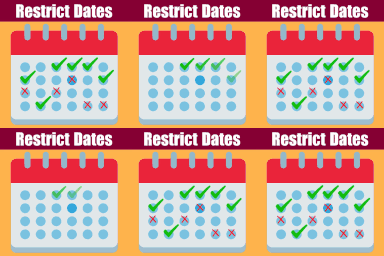
View plugin details ↗Restrict Dates is a Elementor Forms add-on that restricts users from selecting specific dates in your Elementor Forms date picker field.
★ 5.0/5 (4)900+ active installations
- Version
- 2.0.6
- WordPress
- 2.0+
- PHP
- 5.2+
- Updated
- 24 Sep 2026
View plugin details ↗Appointment Hour Booking is a plugin for creating booking forms for appointments with a start time and a defined duration within a schedule.
★ 4.9/5 (524)10,000+ active installations
- Version
- 1.6.07
- WordPress
- 5.3.0+
- Updated
- 16 Nov 2026
View plugin details ↗Remove or change the "Protected:" and "Private:" title prefix. Customize the password form text, button, colors and widgets. Block themes too.
★ 4.7/5 (3)400+ active installations
- Version
- 1.6.0
- WordPress
- 5.8+
- PHP
- 7.0+
- Updated
- 14 Oct 2026
View plugin details ↗Email validation for Contact Form 7. Reduce registration spam with invalid email, block disposable and block free email.
★ 4.0/5 (4)400+ active installations
- Version
- 1.8.4
- PHP
- 5.2.4+
- Updated
- 1 Sep 2026
View plugin details ↗Import external images in posts and pages from external sources or Web Archive if original sources are not available anymore.
★ 5.0/5 (9)1,000+ active installations
- Version
- 2.1.0
- WordPress
- 6.0+
- PHP
- 7.4+
- Updated
- 25 May 2026
View plugin details ↗Choose reliable automatic canonical URLs or set a preferred URL for individual posts, pages, and public post types.
★ 5.0/5 (4)1,000+ active installations
- Version
- 1.1.1
- WordPress
- 5.2+
- PHP
- 7.3+
- Updated
- 23 Oct 2026
View plugin details ↗