Shortcode to show any current, past, and future date or time. Display this, previous, or next year, month, day, etc.
★ 4.9/5 (31)10,000+ active installations
- Version
- 2.7.1
- WordPress
- 4.0+
- PHP
- 7.4+
- Updated
- 25 Aug 2026
View plugin details ↗View, pause, remove, edit and add WP Cron events and schedules.
★ 4.7/5 (39)30,000+ active installations
- Version
- 2.8.0
- WordPress
- 6.0+
- PHP
- 7.4+
- Updated
- 18 Nov 2026
View plugin details ↗Nepali Date Utilities converts English (AD) dates to Nepali (BS) for posts, comments, shortcodes, blocks, and a monthly post calendar.
★ 4.7/5 (3)1,000+ active installations
- Version
- 1.1.2
- WordPress
- 5.0+
- PHP
- 7.4+
- Updated
- 26 Nov 2026
View plugin details ↗Display your mosque's prayer times on websites and digital screens.
★ 4.9/5 (96)1,000+ active installations
- Version
- 2026.10.30
- WordPress
- 6.6+
- PHP
- 8.2+
- Updated
- 26 Nov 2026
View plugin details ↗Schedule posts, pages and supported custom post types in bulk with sorting, day restrictions, randomized time windows and native WordPress publishing.
★ 5.0/5 (2)10+ active installations
- Version
- 1.0.15
- WordPress
- 6.5+
- PHP
- 8.2+
- Updated
- 28 Sep 2026
View plugin details ↗Publishes draft posts on a configurable interval per post type, with optional publishing-window/weekend restrictions and email alerts.
★ 5.0/5 (2)300+ active installations
- Version
- 1.7.7
- WordPress
- 5.0+
- PHP
- 8.0+
- Updated
- 13 Sep 2026
View plugin details ↗Use date format like dd.mm.yy in date fields (jquery ui datepicker) for Contact Form 7.
★ 4.6/5 (5)1,000+ active installations
- Version
- 1.0.9
- WordPress
- 4.9+
- Updated
- 21 May 2026
View plugin details ↗This plugin provides an easy, lightweight way to show content based on the day of the week.
★ 4.6/5 (5)300+ active installations
- Version
- 2.0.0
- WordPress
- 5.0+
- PHP
- 7.0+
- Updated
- 24 Aug 2026
View plugin details ↗Create and manage custom post types, taxonomies and custom fields in seconds, from a clean, developer-friendly interface.
★ 4.9/5 (24)100+ active installations
- Version
- 2.1.4
- WordPress
- 6.5+
- PHP
- 7.4+
- Updated
- 25 Nov 2026
View plugin details ↗1 The Ultimate Spam Protection Plugin Using Captcha for WordPress Forms.
★ 4.1/5 (21)10,000+ active installations
- Version
- 5.3.1
- WordPress
- 6.5+
- Updated
- 5 Nov 2026
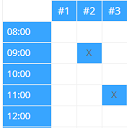
View plugin details ↗Create configurable occupancy schedules and let visitors view, request and manage bookings directly in the WordPress frontend.
★ 5.0/5 (5)100+ active installations
- Version
- 1.7.2
- WordPress
- 4.9+
- PHP
- 5.3+
- Updated
- 26 Nov 2026
View plugin details ↗Add extra product options and product addons to WooCommerce: 30 custom fields, swatches, file uploads, conditional logic and dynamic pricing.
★ 5.0/5 (3)500+ active installations
- Version
- 1.3.1
- WordPress
- 6.2+
- PHP
- 7.4+
- Updated
- 16 Nov 2026
View plugin details ↗