

Connect ChatGPT, Claude, or another AI agent to your site. Plus backup, malware scan, firewall, stats, CDN, and SEO tools in one plugin.
★ 3.8/5 (2,415)3,000,000+ active installations
- Version
- 16.4
- WordPress
- 7.0+
- PHP
- 7.4+
- Updated
- 3 Nov 2026
WORDPRESS RESOURCES
Explore public plugin information from the official WordPress.org directory. Compare what a plugin does, its requirements and update history before adding it to your website.
Explore WordPress hosting →2,459 matching plugins reported by WordPress.org · Page 2 of 50
Source: WordPress.org
Data refreshed 25 Nov 2026 08:26 UTC
Connect ChatGPT, Claude, or another AI agent to your site. Plus backup, malware scan, firewall, stats, CDN, and SEO tools in one plugin.

By ZephyrWest
Shows a list of recent posts from a category - with thumbnails, excerpt and a load more button. For posts, pages and the Site Editor.
Display posts in a responsive grid or slider. Category filter tabs, related posts, Gutenberg block and shortcode. No coding needed.

By marynixie
Related Posts by WPBrigade is The Best Customizable plugin, that nicely displays related posts thumbnails under the post.
By Felix W.
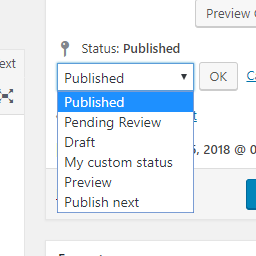
Add new statuses to all post types (posts, pages, products, ...).
Formerly "Custom Facebook Feed". Display completely customizable Facebook feeds of a Facebook page. Supports Facebook oEmbeds.

By wpazleen
Export and import WordPress posts, pages, users, widgets, menus, themes & settings - real media files, no broken links or missing thumbnails.
Duplicate post, post order, image resize, email via SMTP, admin menu editor, custom css / code, disable gutenberg and much more in a single plugin.
Firewall, Malware Scanner, Two Factor Auth, and Comprehensive Security Features, powered by our 24-hour team. Make security a priority with Wordfence.
Add unlimited RSS feeds, import their items automatically, and show them anywhere on your site with a block or shortcode.
Build beautiful post grids, sliders, and complete news website layouts using Elementor, Gutenberg, or shortcodes — no coding needed.
Show your posts with thumbnails in flexible, responsive layouts. Works as a sidebar widget or a block in the editor.
CHOOSE WHAT YOUR WEBSITE NEEDS
Start with the task you need to solve. Compare features, WordPress and PHP requirements, update history and the author’s documentation. Test changes on a private copy and avoid adding several plugins for the same job.
This independent directory displays plugin information on WebFulHost and links to the official source. Packages are not mirrored or installed here. A plugin can include paid extensions or services with separate terms from its author.






