

All-in-One Sticky Anything easily creates click to call, fixed widgets, sticky elements, sticky header, menu, sidebar, social icons & cookie consent.
★ 4.9/5 (15)1,000+ active installations
- Version
- 1.2.1
- WordPress
- 5.0+
- PHP
- 7.4+
- Updated
- 13 Oct 2026
WORDPRESS RESOURCES
Explore public plugin information from the official WordPress.org directory. Compare what a plugin does, its requirements and update history before adding it to your website.
Explore WordPress hosting →1,493 matching plugins reported by WordPress.org · Page 2 of 50
Source: WordPress.org
Data refreshed 23 Nov 2026 07:41 UTC
All-in-One Sticky Anything easily creates click to call, fixed widgets, sticky elements, sticky header, menu, sidebar, social icons & cookie consent.

By Rui Guerreiro
Need some help with the mobile website experience? Need an Mobile Menu plugin that keep your mobile visitors engaged?

By Wow-Company
Create a sticky vertical sidebar menu that enhances navigation and highlights important links on your website.

By Habibur Rahman
Sticky Social Link is a Floating/Sticky Social Link Plugin. This Plugin will make Your social media links sticky/floating on your website.

By Wow-Company
Increase user engagement by incorporating sticky buttons that highlight relevant information on your website.

Social chat buttons with WhatsApp, Messenger, WeChat, Telegram, Instagram, TikTok, Zalo & more — plus SMS, Call button, Contact form, and 20+ icons.
Sticky Content allows website elements to remain fixed while scrolling. It is a simple and customizable Gutenberg block for creating sticky content.

By hashthemes
Floating buttons for calls, WhatsApp, email, social profiles and back to top, in the shape, colours and position you choose. No code needed.
By Web Builder 143
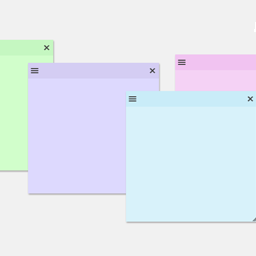
Create sticky notes in your WP admin for reminders and to-dos. Restrict notes by user roles and disable them on specific pages.
Create interactive floating bubble menus to enhance site navigation and boost user engagement effortlessly.

By grooni
Groovy Menu is a Free responsive Mega Menu plugin that will allow you easily to add an awesome menu on your site and improve website navigation.

By Bhavin Thummar
Hide or show sidebar and top admin bar menus for each user role to keep the WordPress dashboard clean.
CHOOSE WHAT YOUR WEBSITE NEEDS
Start with the task you need to solve. Compare features, WordPress and PHP requirements, update history and the author’s documentation. Test changes on a private copy and avoid adding several plugins for the same job.
This independent directory displays plugin information on WebFulHost and links to the official source. Packages are not mirrored or installed here. A plugin can include paid extensions or services with separate terms from its author.

