

Advanced Cron Manager – debug & control
By Kuba Mikita
View, pause, remove, edit and add WP Cron events and schedules.
★ 4.7/5 (39)30,000+ active installations
- Version
- 2.8.0
- WordPress
- 6.0+
- PHP
- 7.4+
- Updated
- 18 Nov 2026
WORDPRESS RESOURCES
Explore public plugin information from the official WordPress.org directory. Compare what a plugin does, its requirements and update history before adding it to your website.
Explore WordPress hosting →499 matching plugins reported by WordPress.org · Page 2 of 42
Source: WordPress.org
Data refreshed 21 Nov 2026 02:30 UTC
By Kuba Mikita
View, pause, remove, edit and add WP Cron events and schedules.

By Joachim Jensen
Display new sidebars on any post, page, category etc. Works with Classic Widgets, Block Widgets, and all themes!

By ashokbasnet
Nepali Date Utilities converts English (AD) dates to Nepali (BS) for posts, comments, shortcodes, blocks, and a monthly post calendar.

By Denra.com
Shortcode to show any current, past, and future date or time. Display this, previous, or next year, month, day, etc.

By tychesoftwares
Choose delivery/pickup dates & times on product page. Simplify delivery management by setting minimum delivery time, max deliveries per day & more.
By add-ons.org
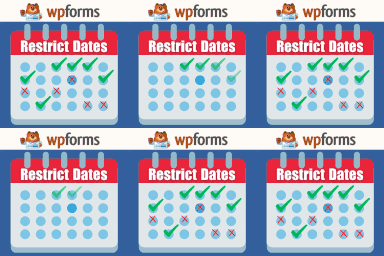
Restrict Dates is a WPForms add-on that restricts users from selecting specific dates in your WPForms date picker field.

By mirceatm
Use date format like dd.mm.yy in date fields (jquery ui datepicker) for Contact Form 7.
By tharkun69
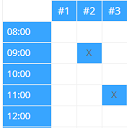
Create configurable occupancy schedules and let visitors view, request and manage bookings directly in the WordPress frontend.

By Peachy Software
This plugin provides an easy, lightweight way to show content based on the day of the week.
Easily add countdowns, timers, and counters to your WordPress site. Ideal for sales, events, stats, and personalized time-based experiences.

A lightweight, touch-friendly date & time picker for Contact Form 7, Gravity Forms, WPForms, Elementor & Fluent Forms.

By techygeekshome
Publishes draft posts on a configurable interval per post type, with optional publishing-window/weekend restrictions and email alerts.
CHOOSE WHAT YOUR WEBSITE NEEDS
Start with the task you need to solve. Compare features, WordPress and PHP requirements, update history and the author’s documentation. Test changes on a private copy and avoid adding several plugins for the same job.
This independent directory displays plugin information on WebFulHost and links to the official source. Packages are not mirrored or installed here. A plugin can include paid extensions or services with separate terms from its author.
