

JWT Authentication for WP REST API
By tmeister
Extends the WP REST API using JSON Web Tokens Authentication as an authentication method.
★ 4.4/5 (53)50,000+ active installations
- Version
- 1.5.1
- WordPress
- 4.2+
- PHP
- 7.4.0+
- Updated
- 18 Nov 2026
WORDPRESS RESOURCES
Explore public plugin information from the official WordPress.org directory. Compare what a plugin does, its requirements and update history before adding it to your website.
Explore WordPress hosting →10,000 matching plugins reported by WordPress.org · Page 2 of 50
Source: WordPress.org
Data refreshed 19 Nov 2026 08:05 UTC
By tmeister
Extends the WP REST API using JSON Web Tokens Authentication as an authentication method.

By David Anderson / Team Updraft
Get caching and more with this powerful cache plugin. Cache, optimize images, clean your database and minify for maximum performance.

By dFactory
Count and display post views, track site-wide visits, and see what content works – inside WordPress. Fast, easy to use and privacy-first.

By PixelYourSite
Add Meta Pixel with Conversion API, Google Analytics (GA4) + Consent Mode, Google Tag Manager, OpenAI Pixel & API, and Head & Footer scripts.
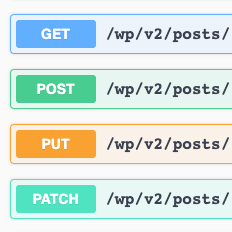
By agussuroyo
WordPress REST API with Swagger UI.

By WP Engine
ACF helps customize WordPress with powerful, professional and intuitive fields. Proudly powering over 2 million sites, WordPress developers love ACF.

By Automattic
Create a careers page for your company website, or build a public job board for your community.

By Lester Chan
Adds a more advanced paging navigation interface.

By metaphorcreations
Creates functionality to duplicate any and all post types, including taxonomies & custom fields. Perfect for developers and content creators.

By Trustindex
Google Reviews Widget for WordPress. Display Google reviews in 1 minute with 45 professional layouts. Build trust, boost SEO, and increase sales.

By WebFactory
WP Reset resets the entire site or selected parts using advanced reset options to default values. 100% safe to use with built-in restore function.

By Elementor
The Elementor Website Builder has it all: drag and drop page builder, Atomic Editor, pixel perfect design, global and reusable style systems, mobile r …
CHOOSE WHAT YOUR WEBSITE NEEDS
Start with the task you need to solve. Compare features, WordPress and PHP requirements, update history and the author’s documentation. Test changes on a private copy and avoid adding several plugins for the same job.
This independent directory displays plugin information on WebFulHost and links to the official source. Packages are not mirrored or installed here. A plugin can include paid extensions or services with separate terms from its author.