

Search with Typesense
By CodeManas
Lightning fast search for your WordPress site, powered by Typesense.
★ 5.0/5 (11)700+ active installations
- Version
- 2.1.3
- WordPress
- 6.8+
- PHP
- 7.4+
- Updated
- 27 May 2026
WORDPRESS RESOURCES
Explore public plugin information from the official WordPress.org directory. Compare what a plugin does, its requirements and update history before adding it to your website.
Explore WordPress hosting →5,141 matching plugins reported by WordPress.org · Page 2 of 50
Source: WordPress.org
Data refreshed 19 Nov 2026 15:28 UTC
By CodeManas
Lightning fast search for your WordPress site, powered by Typesense.
By Pektsekye
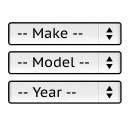
It will find products for selected make and model.
Advanced WooCommerce product search and filter plugin. Customizable search bar, live search suggestions and auto-generated filters for search results.

By mndpsingh287
file manager provides you ability to edit, delete, upload, download, copy and paste files and folders.

By David Anderson / Team Updraft
Protect your WordPress site with All-In-One Security (AIOS): easy-to-use login security, a powerful firewall, and much more.

WordPress backup plugin: backups, restore & migration in minutes. Clone or duplicate your site, test updates on a staging copy. 100% unit-tested.
The best WordPress backup and migration plugin. Quickly and easily backup ,migrate, copy, move, or clone your site from one location to another.
Firewall, Malware Scanner, Two Factor Auth, and Comprehensive Security Features, powered by our 24-hour team. Make security a priority with Wordfence.

By Premmerce
Premmerce Search makes the WooCommerce product search more flexible and efficient and gives the additional search results due to the spell correction.
Create unlimited folders with the Folders WordPress plugin, organize & manage your Media Library files, Pages & Posts in folders 📁
The most popular gallery plugin that lets you create galleries and albums in seconds.

By Micah Wood
Hide individual WordPress pages from search engines and/or WordPress searches, such as confirmation and download pages.
CHOOSE WHAT YOUR WEBSITE NEEDS
Start with the task you need to solve. Compare features, WordPress and PHP requirements, update history and the author’s documentation. Test changes on a private copy and avoid adding several plugins for the same job.
This independent directory displays plugin information on WebFulHost and links to the official source. Packages are not mirrored or installed here. A plugin can include paid extensions or services with separate terms from its author.




