

Post Carousel Divi
By learnhowwp
This plugin add a post carousel module to the Divi theme.
★ 4.9/5 (12)2,000+ active installations
- Version
- 1.2.5
- WordPress
- 5.0+
- PHP
- 7.0+
- Updated
- 21 Oct 2026
WORDPRESS RESOURCES
Explore public plugin information from the official WordPress.org directory. Compare what a plugin does, its requirements and update history before adding it to your website.
Explore WordPress hosting →10,000 matching plugins reported by WordPress.org · Page 20 of 50
Source: WordPress.org
Data refreshed 23 Nov 2026 09:30 UTC
By learnhowwp
This plugin add a post carousel module to the Divi theme.

By Awais Altaf
Show your logo anywhere: theme header, login screen, admin bar, and emails. Retina, dark mode, mobile, sticky, and per-page logos.

By WP Smart Widgets
The only free pro-grade Elementor filtering system for posts, taxonomies, custom fields, ACF, WooCommerce, WPML & more. Ditch paid limits!
The most flexible filters for WooCommerce products & WordPress content. Includes everything needed, supports Elementor & builders, AJAX, quick setup.

Fast, file-based code snippets plugin. Insert header & footer scripts and add PHP, CSS, JS & HTML snippets with conditional logic. Zero DB queries.

By Automattic
Assign multiple bylines to posts, pages, and custom post types with a search-as-you-type input box.

By Jose Vega
Modern Bulk Editor for Posts and Pages, create and edit hundreds of posts at once in a spreadsheet inside wp-admin. Search and quick edits.

By Marcus (aka @msykes)
Events calendar and booking system: bookings, reservations, appointments, scheduling, event registration, tickets and recurring events.

By Daniele De Santis
Add custom css to the whole website and to specific posts and pages.

By Maxime Pertici
Menu Item Types makes it easy to add and create custom menu item types to your navigation menus.
By Felix W.
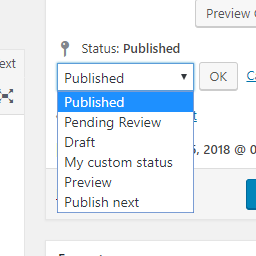
Add new statuses to all post types (posts, pages, products, ...).

By codepeople
CodePeople Post Map lets you geotag posts and seamlessly integrate your blog with Google Maps for a smooth, location-aware experience.
CHOOSE WHAT YOUR WEBSITE NEEDS
Start with the task you need to solve. Compare features, WordPress and PHP requirements, update history and the author’s documentation. Test changes on a private copy and avoid adding several plugins for the same job.
This independent directory displays plugin information on WebFulHost and links to the official source. Packages are not mirrored or installed here. A plugin can include paid extensions or services with separate terms from its author.
