Sales booster for WooCommerce with BOGO, upsells, order bumps, direct checkout, quick view and side cart. Lift AOV without extra plugins.
★ 5.0/5 (7)2,000+ active installations
- Version
- 3.0.0
- WordPress
- 6.2+
- PHP
- 7.4+
- Updated
- 4 Nov 2026
WORDPRESS RESOURCES
Explore public plugin information from the official WordPress.org directory. Compare what a plugin does, its requirements and update history before adding it to your website.
Explore WordPress hosting →691 matching plugins reported by WordPress.org · Page 20 of 50
Source: WordPress.org
Data refreshed 25 Nov 2026 08:02 UTC
Sales booster for WooCommerce with BOGO, upsells, order bumps, direct checkout, quick view and side cart. Lift AOV without extra plugins.
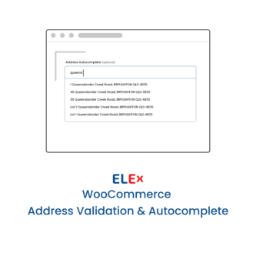
Simple and easy to use address validation & google address autocomplete plugin. Uses EasyPost, UPS, USPS, AddressFinder & Google APIs.

By WP Swings
PDF Generator for WordPress allows you to convert posts into PDF files to share information across multiple channels.

By mediaticus
The best subaccount management plugin for WooCommerce. Easily allow customers to create subaccounts or add users to their company accounts.

Rule-based discounts for WooCommerce. Unlimited rules, ready-made templates, coupon codes and percentage, fixed or free shipping discounts.
Best live chat and help desk plugin for WordPress websites. Add the LiveChat widget to engage visitors and provide real‑time customer support! 🚀
Appointment scheduling & event booking plugin for WordPress. Let clients self-schedule 24/7, register for events, and pay at booking.

By MantraBrain
WordPress travel booking plugin for tour operators. Trips, departures, payments, OTAs, AI. Free + Pro from $99/yr.

By storeapps
Create shareable WooCommerce coupon links that automatically apply discounts via URL. Perfect for email, social media, and marketing campaigns.

The easiest and fastest Email Marketing, Newsletter, Marketing Automation Plugin & CRM Solution for WordPress

By Naked Cat Plugins
Create WooCommerce coupons with variable discount percentage per product
Hide prices and the add to cart button for logged-out users, show a "Log in to view prices" message, or make your WooCommerce store private.
CHOOSE WHAT YOUR WEBSITE NEEDS
Start with the task you need to solve. Compare features, WordPress and PHP requirements, update history and the author’s documentation. Test changes on a private copy and avoid adding several plugins for the same job.
This independent directory displays plugin information on WebFulHost and links to the official source. Packages are not mirrored or installed here. A plugin can include paid extensions or services with separate terms from its author.