This is by far the best free WordPress share plugin. It is simple yet does exactly what it should with plenty of customisation options.
★ 4.1/5 (18)4,000+ active installations
- Version
- 2.1.9.1
- WordPress
- 4.0+
- PHP
- 7.4+
- Updated
- 30 Jul 2026
View plugin details ↗AJAX comments with layered spam protection and no CAPTCHA. Threaded replies, load more, and 5 editable notification emails. Free, no pro version.
★ 4.3/5 (6)800+ active installations
- Version
- 2.1.1
- WordPress
- 6.5+
- PHP
- 7.4+
- Updated
- 1 Sep 2026
View plugin details ↗Optimize and tweak WordPress by disable unused features. Improve performance, SEO and security using Clearfy — super easy, fast and zero code.
★ 4.7/5 (339)40,000+ active installations
- Version
- 2.4.3
- WordPress
- 6.0+
- PHP
- 7.4+
- Updated
- 23 Jul 2026
View plugin details ↗Create searchable photo galleries with frontend uploads, built-in image editing, four layouts and full-screen browsing.
★ 3.7/5 (3)400+ active installations
- Version
- 1.11.2
- WordPress
- 6.9+
- PHP
- 8.2+
- Updated
- 12 Nov 2026
View plugin details ↗WordPress Video Player Plugin for VdoCipher: secure video embed, custom video player, watermark & easy integration with all LMS platforms.
★ 4.2/5 (14)2,000+ active installations
- Version
- 1.30
- WordPress
- 3.5.1+
- PHP
- 5.6+
- Updated
- 3 Oct 2026
View plugin details ↗This is a plugin that extends Gutenberg's blocks.
★ 4.8/5 (6)100,000+ active installations
- Version
- 1.131.0
- WordPress
- 6.6+
- PHP
- 7.4+
- Updated
- 9 Nov 2026
View plugin details ↗Enables you to display how many times a post/page had been viewed.
★ 4.4/5 (65)90,000+ active installations
- Version
- 2.0.1
- WordPress
- 6.8+
- PHP
- 8.2+
- Updated
- 24 Aug 2026
View plugin details ↗Post Redirection – 301, 404 Redirects lets you quickly redirect pages, posts, custom types, and URLs to new locations for seamless navigation.
★ 5.0/5 (1)50+ active installations
- Version
- 1.0.2
- WordPress
- 4.4.0+
- PHP
- 7.0+
- Updated
- 6 Apr 2026
View plugin details ↗A modern, accessible, fully customizable & user-friendly YouTube Video Player for WordPress.
★ 4.8/5 (12)1,000+ active installations
- Version
- 2.1.6
- WordPress
- 6.5+
- PHP
- 7.1+
- Updated
- 17 Nov 2026
View plugin details ↗WP-Sweep allows you to clean up unused, orphaned and duplicated data in your WordPress. It also optimizes your database tables.
★ 4.7/5 (138)100,000+ active installations
- Version
- 2.0.1
- WordPress
- 6.8+
- PHP
- 8.2+
- Updated
- 24 Aug 2026
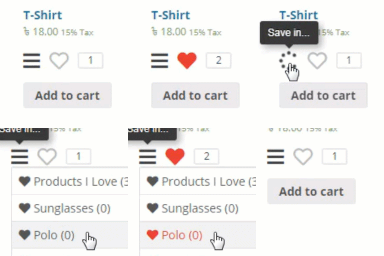
View plugin details ↗Add wishlist feature to your WooCommerce product or any post types.
★ 3.8/5 (13)300+ active installations
- Version
- 1.0.46
- WordPress
- 3.8+
- Updated
- 8 Jun 2026
View plugin details ↗Shorten, cloak, redirect & track every link in WordPress. Branded short URLs, click analytics, affiliate links & MCP access for AI assistants.
★ 4.8/5 (85)20,000+ active installations
- Version
- 3.1.7
- WordPress
- 6.2+
- PHP
- 7.4+
- Updated
- 17 Nov 2026
View plugin details ↗