Add a "Make an Enquiry" or "Request a Quote" button on product pages. Now with a free AI assistant that answers customer questions 24x7.
★ 4.1/5 (68)10,000+ active installations
- Version
- 3.2.5.3
- WordPress
- 5.3+
- PHP
- 5.6+
- Updated
- 22 Jun 2026
WORDPRESS RESOURCES
Explore public plugin information from the official WordPress.org directory. Compare what a plugin does, its requirements and update history before adding it to your website.
Explore WordPress hosting →4,169 matching plugins reported by WordPress.org · Page 20 of 50
Source: WordPress.org
Data refreshed 22 Nov 2026 00:11 UTC
Add a "Make an Enquiry" or "Request a Quote" button on product pages. Now with a free AI assistant that answers customer questions 24x7.

Transform your WooCommerce site into a multivendor marketplace with Dokan – an AI powered & advanced WooCommerce marketplace solution

By BeRocket
With Currency Exchange for WooCommerce you can easily setup exchange to any currencies in WooCommerce.
Define a min/max, step, decimal & default quantity for products, show a dropdown and much more on WooCommerce stores.

By Stylemix
WP Cost Calculator is a simple and powerful tool that lets you create price estimation forms. Easily give your clients information about your services …
Ever Compare is a WordPress plugin for product compare, is a powerful tool that helps you to enable compare button for WooCommerce product.
By pay4all
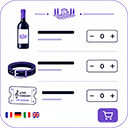
Sell products, services, events, courses and meals with a complete order form, Stripe, myPOS & TWINT payments, delivery, pickup and more.

By dcurasi
Set a minimum order amount for WooCommerce, with a customizable notice shown in the cart, at the checkout and in the shop pages.
Self-hosted heatmaps, funnels and Smart Insights for WordPress and WooCommerce. Data on your server. All of Pro free 6 months, 1 site, no card.

By wpdreams
The Best Ajax Live Search and Filter for WordPress. Live suggestions, Custom Post types, Custom fields, Categories, WooCommerce & Elementor support
Show WooCommerce product categories as a slider or grid with image, name, product count and a Shop Now button. Shortcode builder and Elementor widget.

By Nabil Lemsieh
Make all WooCommerce product images the same size without cropping. Automatic, no configuration required.
CHOOSE WHAT YOUR WEBSITE NEEDS
Start with the task you need to solve. Compare features, WordPress and PHP requirements, update history and the author’s documentation. Test changes on a private copy and avoid adding several plugins for the same job.
This independent directory displays plugin information on WebFulHost and links to the official source. Packages are not mirrored or installed here. A plugin can include paid extensions or services with separate terms from its author.