

Pretty Opt-In - Content Locker for Lead Generation
★ 2.0/5 (1)0+ active installations
- Version
- 1.3.21
- WordPress
- 4.0+
- Updated
- 11 May 2026
WORDPRESS RESOURCES
Explore public plugin information from the official WordPress.org directory. Compare what a plugin does, its requirements and update history before adding it to your website.
Explore WordPress hosting →398 matching plugins reported by WordPress.org · Page 21 of 34
Source: WordPress.org
Data refreshed 20 Nov 2026 22:48 UTC
Pretty Opt-In - Content Locker for Lead Generation
Product options and add-ons for WooCommerce: text fields, swatches, file uploads and conditional logic, each with its own price.
Cook mode for recipes: keeps screens awake and opens a free step-by-step Cook view. Works with WP Recipe Maker, Tasty Recipes and any recipe card.

By QueueCommerce
Live WooCommerce sale countdown timers for product pages—five templates, optional scheduled start, accessibility-friendly output, sale expiry cleanup, …

By Heinrich Franz
Replaces image URLs with their WebP versions once W3 Total Cache ImageService converts them, with optional deletion of the originals.

By zeroadnetwork
Earn revenue from Zero Ad Network subscribers by offering ad-free browsing and access to selected paid content.

By bossyplugins1
Bulk edit WooCommerce from one spreadsheet—prices, stock, variations, images—with snapshot undo on every change. Free, no cap.

Ultra-lightweight WordPress security plugin. Offering robust WAF, 2FA, Malware Scanners, Magic Links, Activity Log & Emergency Recovery Toolkit.
By perrinalexandre05
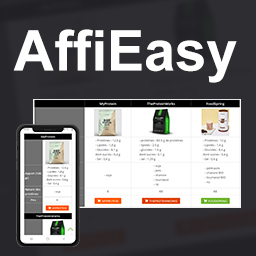
Create reusable affiliate links and responsive comparison tables from a single WordPress admin interface.

By BrightLeaf Digital
Organize Gravity Forms forms and GravityView views into folders you can reorder by drag and drop, for sites with dozens or hundreds of forms.

By stephend
This is a WordPress plugin that allows you to use Smart App Banners, introduced in iOS 6, with your WordPress blog.

By laserengraverexpert
Displays a laser engraver material settings reference table on any page or post via shortcode.
CHOOSE WHAT YOUR WEBSITE NEEDS
Start with the task you need to solve. Compare features, WordPress and PHP requirements, update history and the author’s documentation. Test changes on a private copy and avoid adding several plugins for the same job.
This independent directory displays plugin information on WebFulHost and links to the official source. Packages are not mirrored or installed here. A plugin can include paid extensions or services with separate terms from its author.

