

Page scroll to id
By malihu
Create links that scroll the page smoothly to any id within the document.
★ 4.9/5 (225)100,000+ active installations
- Version
- 1.7.9
- WordPress
- 3.3+
- Updated
- 9 Jun 2026
WORDPRESS RESOURCES
Explore public plugin information from the official WordPress.org directory. Compare what a plugin does, its requirements and update history before adding it to your website.
Explore WordPress hosting →10,000 matching plugins reported by WordPress.org · Page 21 of 50
Source: WordPress.org
Data refreshed 23 Nov 2026 08:54 UTC
By malihu
Create links that scroll the page smoothly to any id within the document.
A WordPress LMS Plugin to create WordPress Learning Management System. Turn your WordPress to LMS WordPress Website with Courses, Lessons, Quizzes &am …
Free AI chatbot and content generation for WordPress. Train ChatGPT, Claude, Gemini or Grok on your content. WooCommerce ready with RAG.

By fontawesome
The official way to use Font Awesome Free or Pro icons on your WordPress site, brought to you by the Font Awesome team.

By Nick Diego
Easily add SVG icons and graphics to the WordPress block editor.

By NerdPress
Create a custom 404 error page the easy way! No coding, and no redirects.

By Xylus Themes
Display Facebook events on your WordPress site with beautiful, auto-updating event feeds using the Live Feed Builder. No API key required.

By Narinder Singh
LocoAI - Auto Translate For Loco Translate is a powerful tool for developers looking to quickly translate their WordPress plugins and themes.
Bordered Blocks adds subtle borders to all blocks in the WordPress Post/Page editor to give you a much better overview of the layout of your page.

By Xylus Themes
Import Eventbrite Events into WordPress website and/or Event Calendar. Nice Display with shortcode & Event widget.

By Spider Themes
24+ Elementor widgets for stunning websites. Blog, Accordion, Testimonials, Timeline & more without coding.
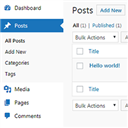
By Jose Vega
Beautiful design for WP Admin, Clean Admin Theme for wp-admin.
CHOOSE WHAT YOUR WEBSITE NEEDS
Start with the task you need to solve. Compare features, WordPress and PHP requirements, update history and the author’s documentation. Test changes on a private copy and avoid adding several plugins for the same job.
This independent directory displays plugin information on WebFulHost and links to the official source. Packages are not mirrored or installed here. A plugin can include paid extensions or services with separate terms from its author.


