AJAX comments with layered spam protection and no CAPTCHA. Threaded replies, load more, and 5 editable notification emails. Free, no pro version.
★ 4.4/5 (7)800+ active installations
- Version
- 2.1.1
- WordPress
- 6.5+
- PHP
- 7.4+
- Updated
- 1 Sep 2026
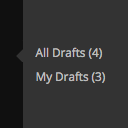
View plugin details ↗Adds links to 'All Drafts' and 'My Drafts' under Posts, Pages, and other custom post type sections in the admin menu.
★ 5.0/5 (7)400+ active installations
- Version
- 2.4
- WordPress
- 4.6+
- Updated
- 14 Apr 2025
View plugin details ↗Create Elementor tickers, carousels, and sliders from images or registered post types, with custom-field mapping and responsive image loading.
★ 5.0/5 (3)600+ active installations
- Version
- 1.5.0
- WordPress
- 5.5+
- PHP
- 7.0+
- Updated
- 12 Nov 2026
View plugin details ↗Fetch bibliographic records from The SAO/NASA Astrophysics Data System (ADS) and include a list of these records in your posts using shortcodes.
★ 5.0/5 (1)10+ active installations
- Version
- 1.0.4
- WordPress
- 4.7+
- PHP
- 7.0+
- Updated
- 17 Apr 2026
View plugin details ↗WordPress security plugin. Requires WordPress 6.2+ and PHP 7.4+.
★ 5.0/5 (2)100+ active installations
- Version
- 1.4.0
- WordPress
- 6.2+
- PHP
- 7.4+
- Updated
- 19 Oct 2026
View plugin details ↗Turn Arabic, Persian and Urdu slugs into clean URLs in English letters: posts, pages, products, categories, files. Works with multilingual plugins.
★ 5.0/5 (2)30+ active installations
- Version
- 1.2.3
- WordPress
- 6.4+
- PHP
- 7.4+
- Updated
- 26 Nov 2026
View plugin details ↗
By CreativeMindsSolutions
Discussion Forum Plugin for WordPress Q&A. Build engaging community forums with voting, moderation, notifications, and AI integration.
★ 3.8/5 (86)300+ active installations
- Version
- 3.4.3
- WordPress
- 5.4.0+
- PHP
- 5.4+
- Updated
- 13 Oct 2026
View plugin details ↗The best WooCommerce checkout manager. Edit, remove or add checkout fields. Customize WooCommerce checkout with this checkout field customizer.
★ 4.7/5 (297)80,000+ active installations
- Version
- 4.1.46
- WordPress
- 6.4+
- PHP
- 7.4+
- Updated
- 26 Nov 2026
View plugin details ↗Generate XML sitemap to enhance SEO and expedite website indexing.
100+ active installations
- Version
- 1.1.8
- WordPress
- 6.3+
- PHP
- 7.4+
- Updated
- 31 Aug 2026
View plugin details ↗Stop bots from brute force hacking your wp-login.php
★ 5.0/5 (1)100+ active installations
- Version
- 1.1.2
- WordPress
- 5.0+
- PHP
- 8.2+
- Updated
- 2 Oct 2026
View plugin details ↗Make long, unwieldy select boxes much more user-friendly.
★ 4.3/5 (6)70+ active installations
- Version
- 6.4.0
- WordPress
- 6.4+
- PHP
- 7.4+
- Updated
- 10 Oct 2026
View plugin details ↗Force a single admin color scheme for all users of the site.
★ 5.0/5 (2)500+ active installations
- Version
- 2.1
- WordPress
- 4.1+
- Updated
- 17 Apr 2025
View plugin details ↗