
WPC Grouped Product for WooCommerce
By WPClever
WPC Grouped Product helps you make up standalone products that are presented as a group.
★ 4.9/5 (27)2,000+ active installations
- Version
- 5.3.5
- WordPress
- 5.9+
- Updated
- 10 Nov 2026
WORDPRESS RESOURCES
Explore public plugin information from the official WordPress.org directory. Compare what a plugin does, its requirements and update history before adding it to your website.
Explore WordPress hosting →1,615 matching plugins reported by WordPress.org · Page 22 of 50
Source: WordPress.org
Data refreshed 22 Nov 2026 09:44 UTC
By WPClever
WPC Grouped Product helps you make up standalone products that are presented as a group.
SaddleWP is the MCP server for WordPress. Claude, ChatGPT or Cursor build pages, fix SEO and run updates on your site. Read-only until you allow more.

By adriano
Generative Engine Optimization for WordPress: serves an AI context endpoint, adds JSON-LD schema and monitors AI crawlers and LLM referral traffic.

By cl272
An enhanced version of the text widget that supports Text, HTML, CSS, JavaScript, Flash, Shortcodes and PHP with linkable widget title.

By Ays Pro
The best WordPress form builder plugin. Create contact forms, subscription forms, payment forms, or any custom forms in minutes.
Lightweight, scalable and full-featured event listings & management plugin for managing events & tickets from the Frontend and Backend.

By amanstacker
A powerful and customizable TOC plugin. Effortlessly navigate your content with advanced features and flexible styling.
Writes SEO blog posts about your business and publishes them on a schedule. Plus a free SEO plugin for titles, schema, sitemaps and redirects.

By Digi Talindo
AI Elementor page builder for Claude — create and edit real Elementor pages, plus posts, SEO, media, and WooCommerce automation, all via MCP.

By Dave Warfel
Instantly improve LearnDash's design -- focus mode, course content, profile page, course navigation & course grid -- to more closely match yo …
By Francesco Martini
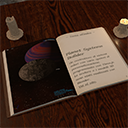
Embed and display Ebooks in your website.

By Morgan Hvidt
Find My Blocks will search and list all the blocks used across your WordPress site.
CHOOSE WHAT YOUR WEBSITE NEEDS
Start with the task you need to solve. Compare features, WordPress and PHP requirements, update history and the author’s documentation. Test changes on a private copy and avoid adding several plugins for the same job.
This independent directory displays plugin information on WebFulHost and links to the official source. Packages are not mirrored or installed here. A plugin can include paid extensions or services with separate terms from its author.